
Step 01 : When to Backup
- The narrator recommends taking a backup before performing any major system updates or making significant configuration changes.
- Navigate to Diagnostics > Backup and Restore in the pfSense menu.

- Choose the areas to backup (you can select “All” or specific sections like firewall rules or scheduled tasks).
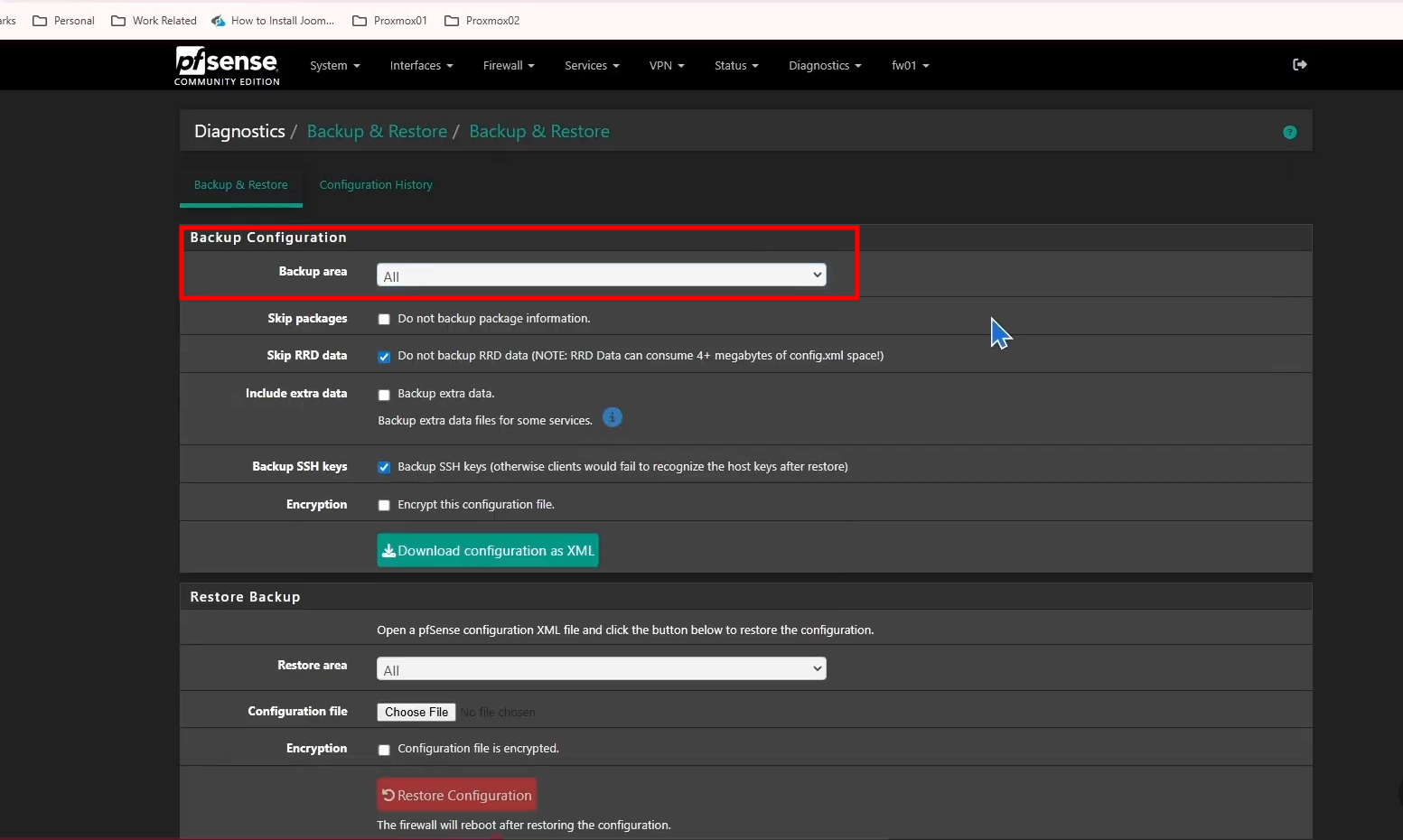
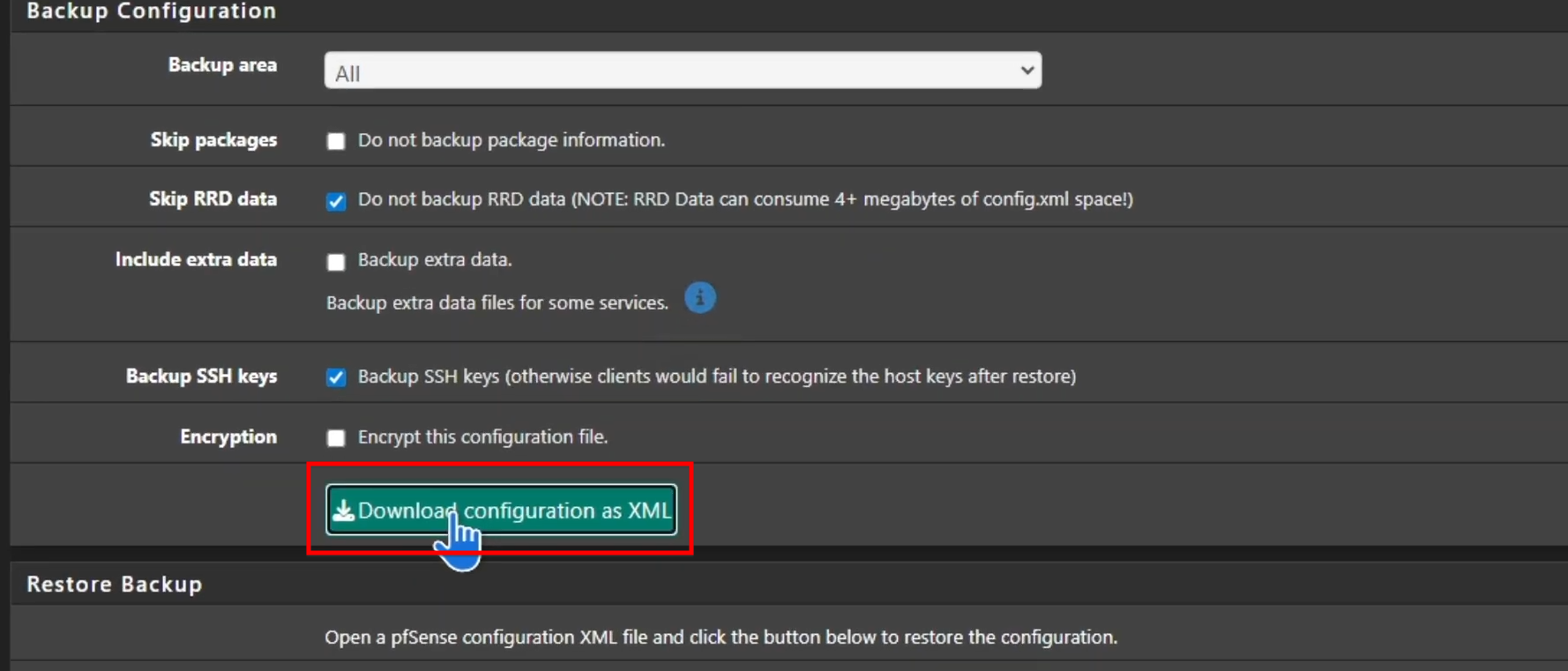
- Click “Download configuration as XML” to save the backup file to your computer.
Step 02 : How to Restore
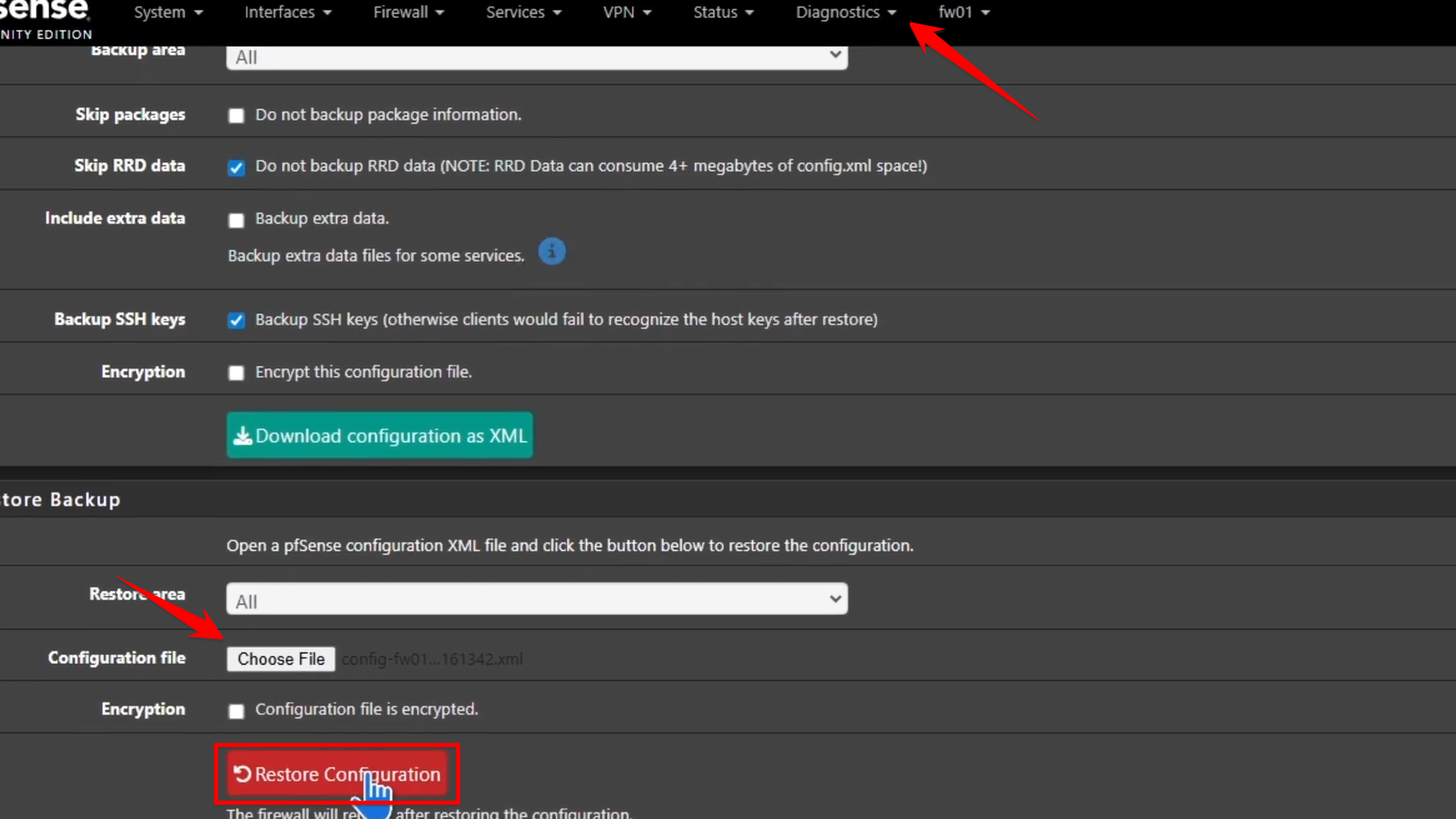
- Go back to the Backup and Restore page.
- Under the “Restore configuration” section, click “Choose File” and select the previously downloaded XML file.
- Click “Restore configuration” and confirm by clicking “OK”.
Step 03 : Post-Restore Process
- Once the restore is initiated, the firewall will reboot to apply the changes.
- After logging back in, pfSense may reinstall any previously configured packages in the background. It is advised not to make changes in the GUI until this process is complete.