The default GRUB (Grand Unified Bootloader) menu on Linux systems is functional but often lacks visual appeal, featuring just a black screen and white text. You can easily replace this with a beautiful, professional theme like the Elegant GRUB Theme, which works across various Linux distributions, including Linux Mint, Ubuntu, and Arch-based systems.
Step: 01
You start by getting the theme files and then moving to them through the terminal.People usually head over to the official Elegant GRUB Themes spot on GitHub for this.
You can search for elegant grub themes or just use the link from the video description.Click on the Code button there and choose Download ZIP.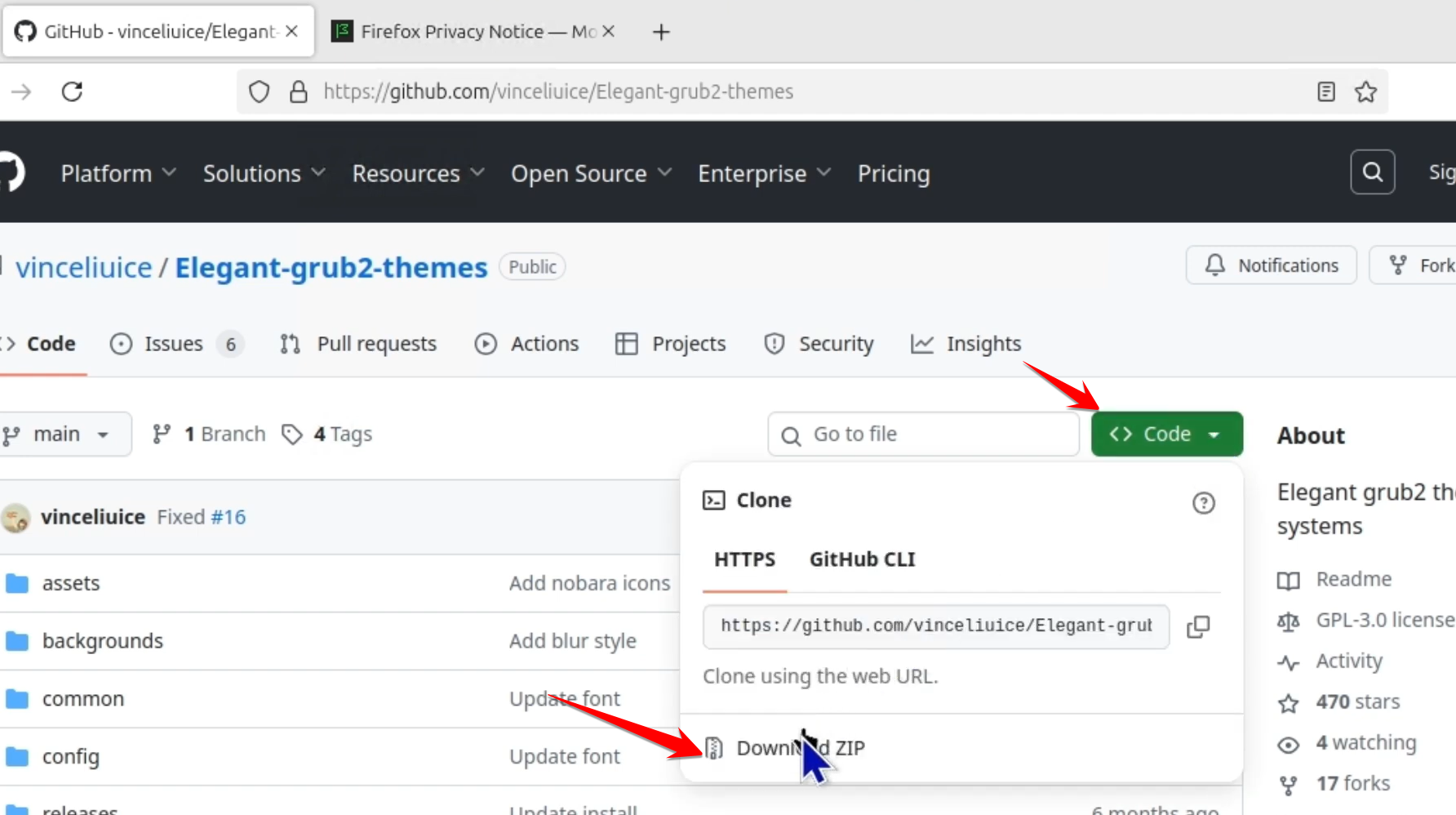
Once you have the ZIP file, extract it with whatever archive tool your system uses.Open up your Terminal next and navigate right to that extracted folder.
Something like cd Documents/Elegant-Grub-Themes works fine for that.
Step: 2
The theme comes with an automated installer script that guides you through the customization process.In the terminal, you run
sudo apt update
for that.Now execute the installation script itself with
sudo ./install.sh
The script brings up a simple menu in text form where you pick your options.You select things like the theme variant, maybe mountain for example.
Then choose the style, such as blur or sharp.Pick a layout too, left or right works.
Go for the mode, dark or light depending on what you prefer.Set the resolution, like 1080p.
Step: 3
Apply and Verify the Theme.
Once you finish picking your choices, update the GRUB config file and restart to check it out.Run
sudo update-grub
in the terminal to lock in the changes and set the theme for the bootloader.
Reboot your machine after that.When it starts up again, the GRUB menu appears with your custom look.It even shows logos for the operating systems, like Windows Boot Manager and Linux Mint.
Step: 4
Advanced Customization.
You can tweak more if you want, such as changing the background or adjusting font sizes.That means going into the theme files directly.
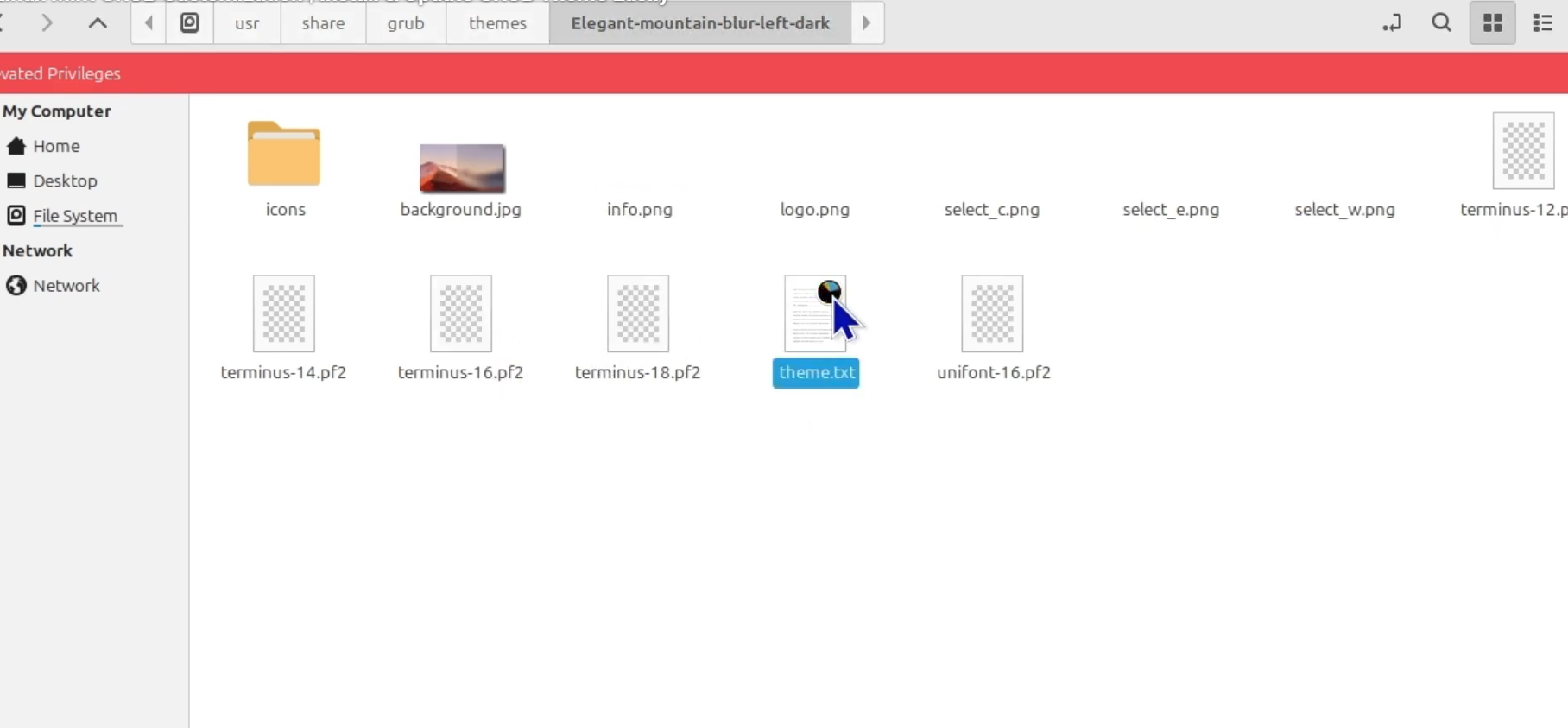
You need root access to reach the installation folder for the theme.Open your file manager with root privileges for this.The files sit in a spot like /usr/share/grub/themes/Elegant most of the time.To swap the background, replace the background.png file there with your image.
Make sure your image fits the theme, especially the resolution like 1920×1080. in the video.For fonts or layout changes, edit the theme.txt file.
You have to know some basic GRUB theme coding to do that right.Adjust sizes, positions, and other looks that way.