
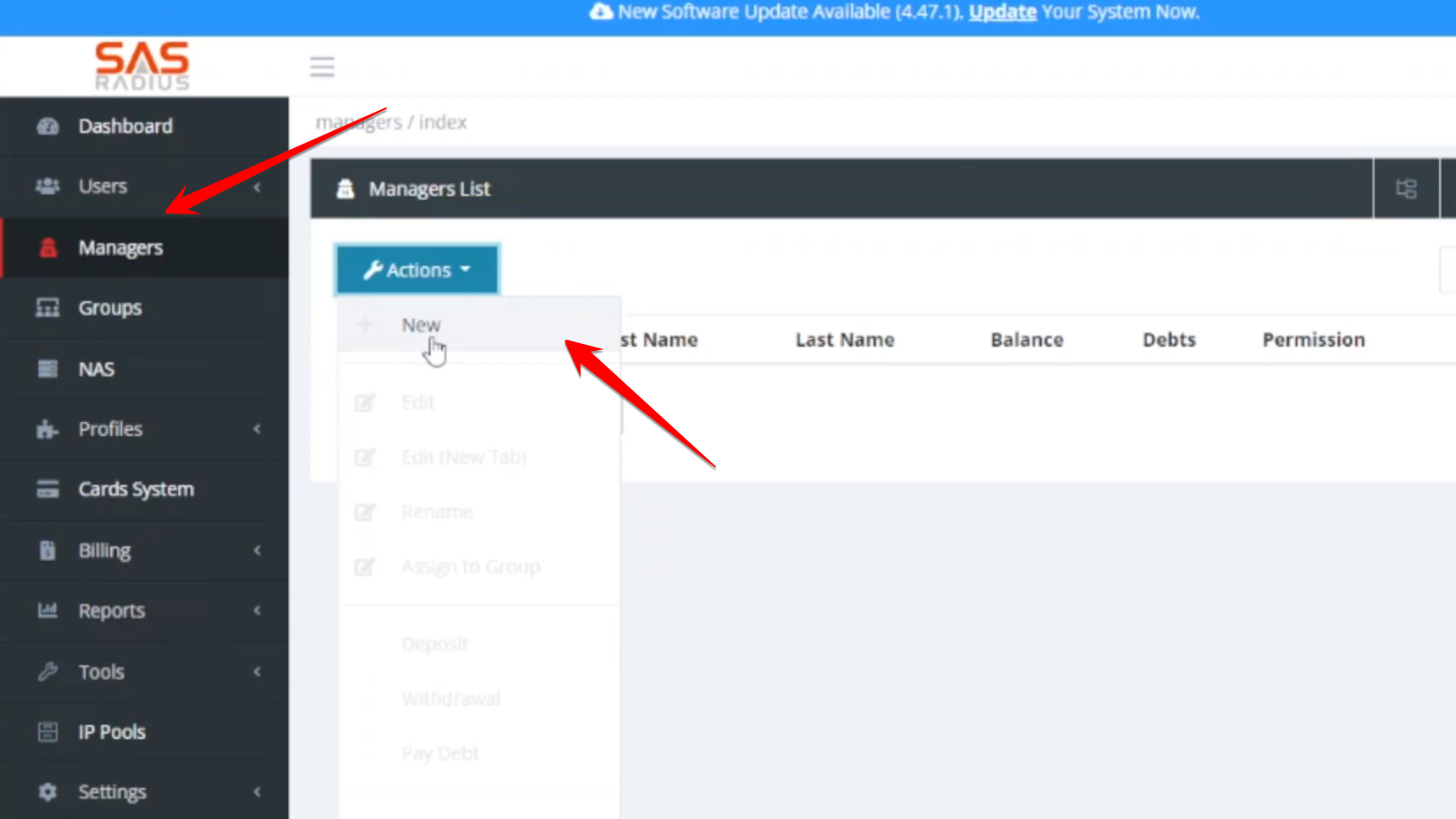
- Navigate to the manager settings and click “New”.
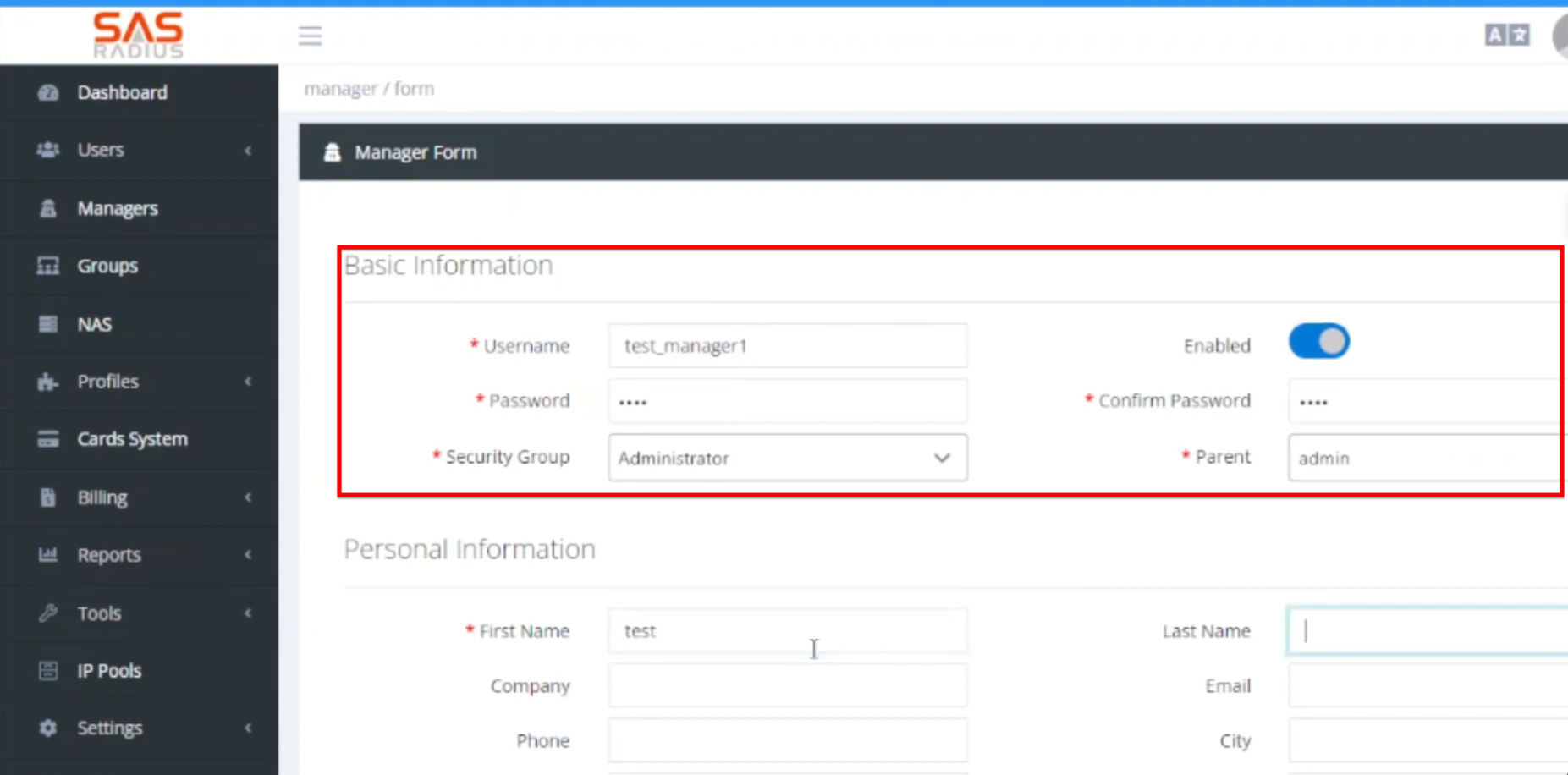
- Enter a username, set a password, and ensure the account is Enabled.
- Select the appropriate Security Group (Administrator, Super Reseller, or Normal Reseller).
- Choose which manager this new account will report to (e.g., the primary admin).
- You can define the maximum number of users the manager is allowed to create.
- Save the details to finalize the account creation.
- The system offers three distinct security levels for managers:
- This role has full access rights, identical to the main system administrator. They can create groups, manage other managers, and configure system settings.
- This role can manage users and billing, with the additional capability of creating and managing other managers under their own account.
- The most restricted role, limited to managing users, billing, and reports. They cannot create new managers or service profiles.
Related Posts