
Step 01:
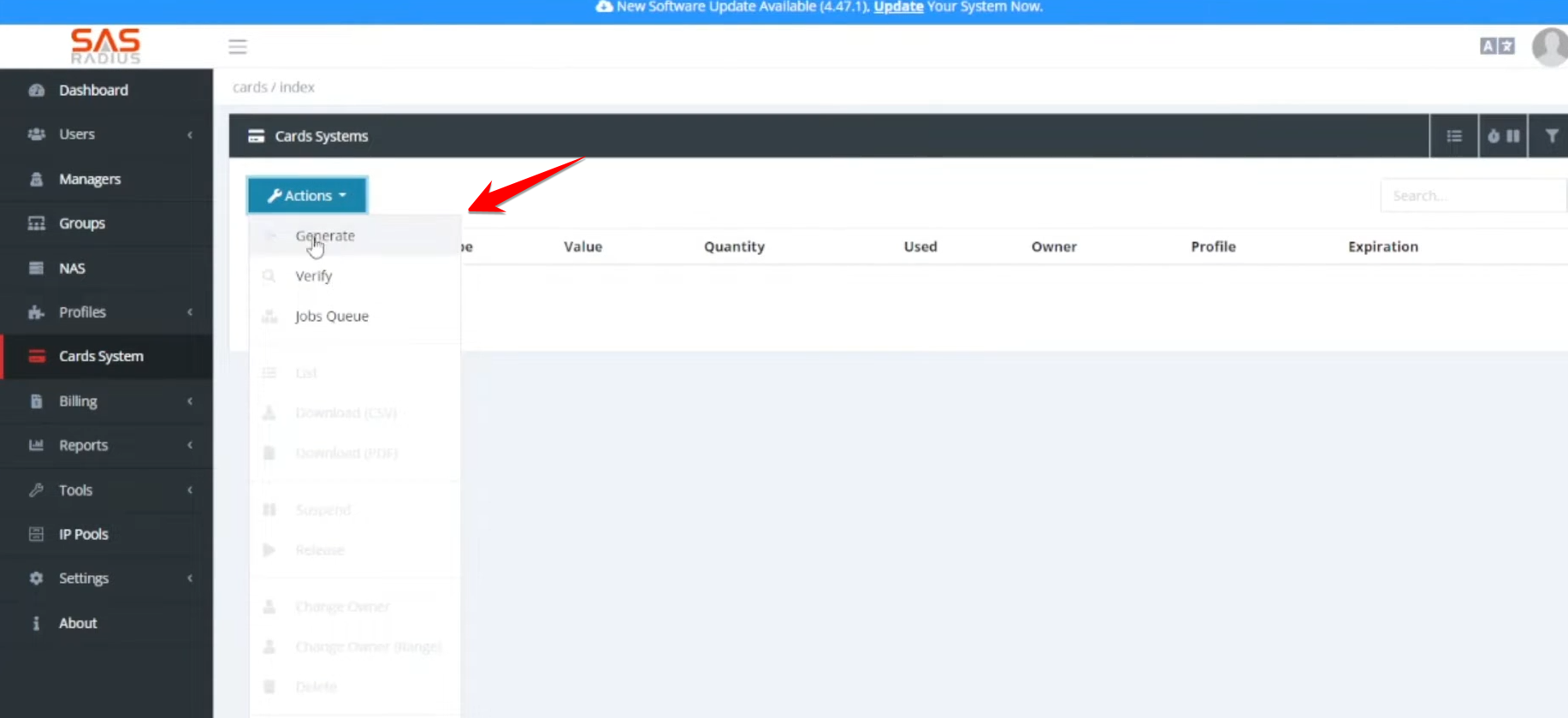
- Navigate to the Card System and select Generate.
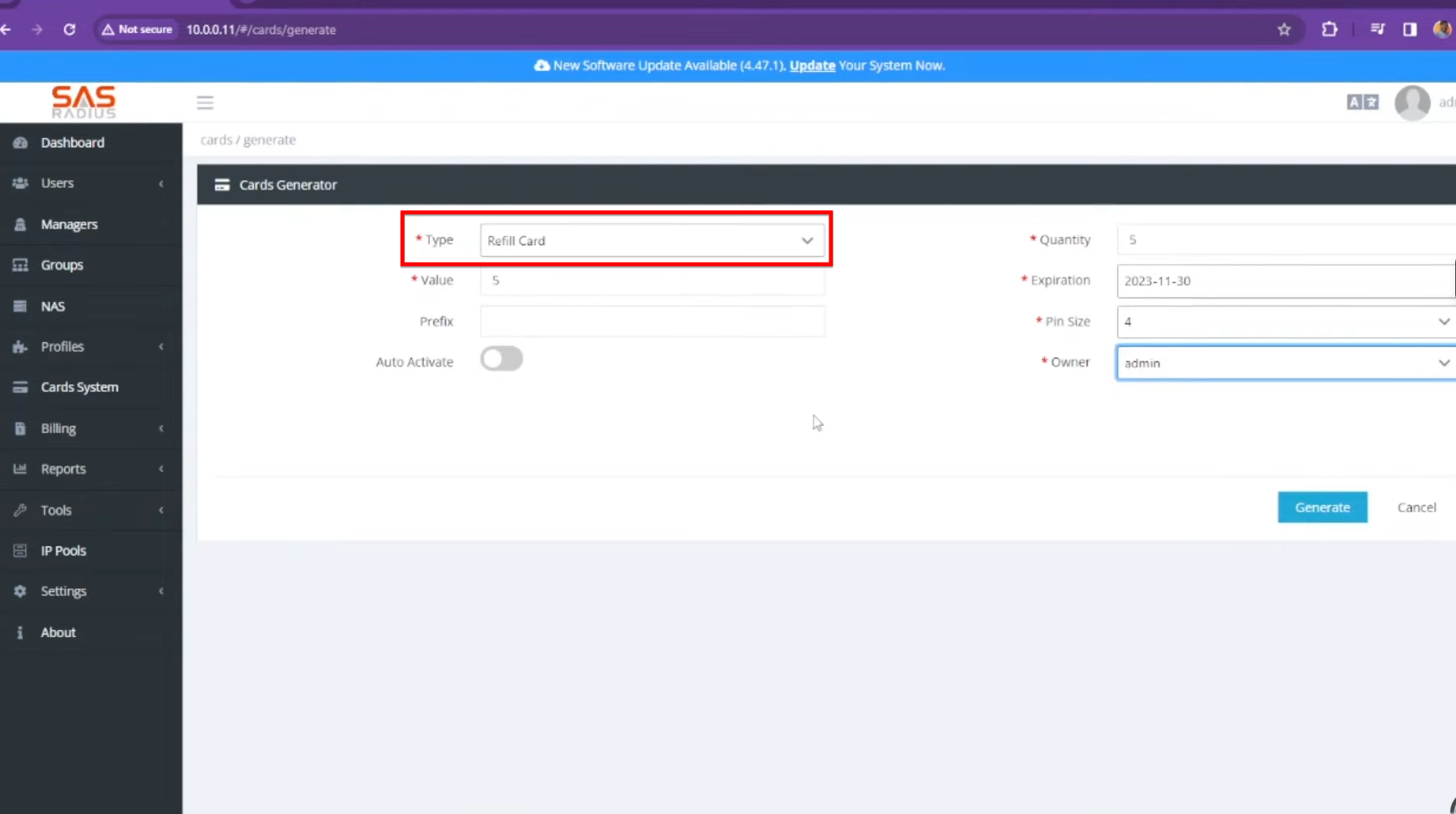
- Set a value (price), prefix for the serial/pin, quantity, and expiration date.
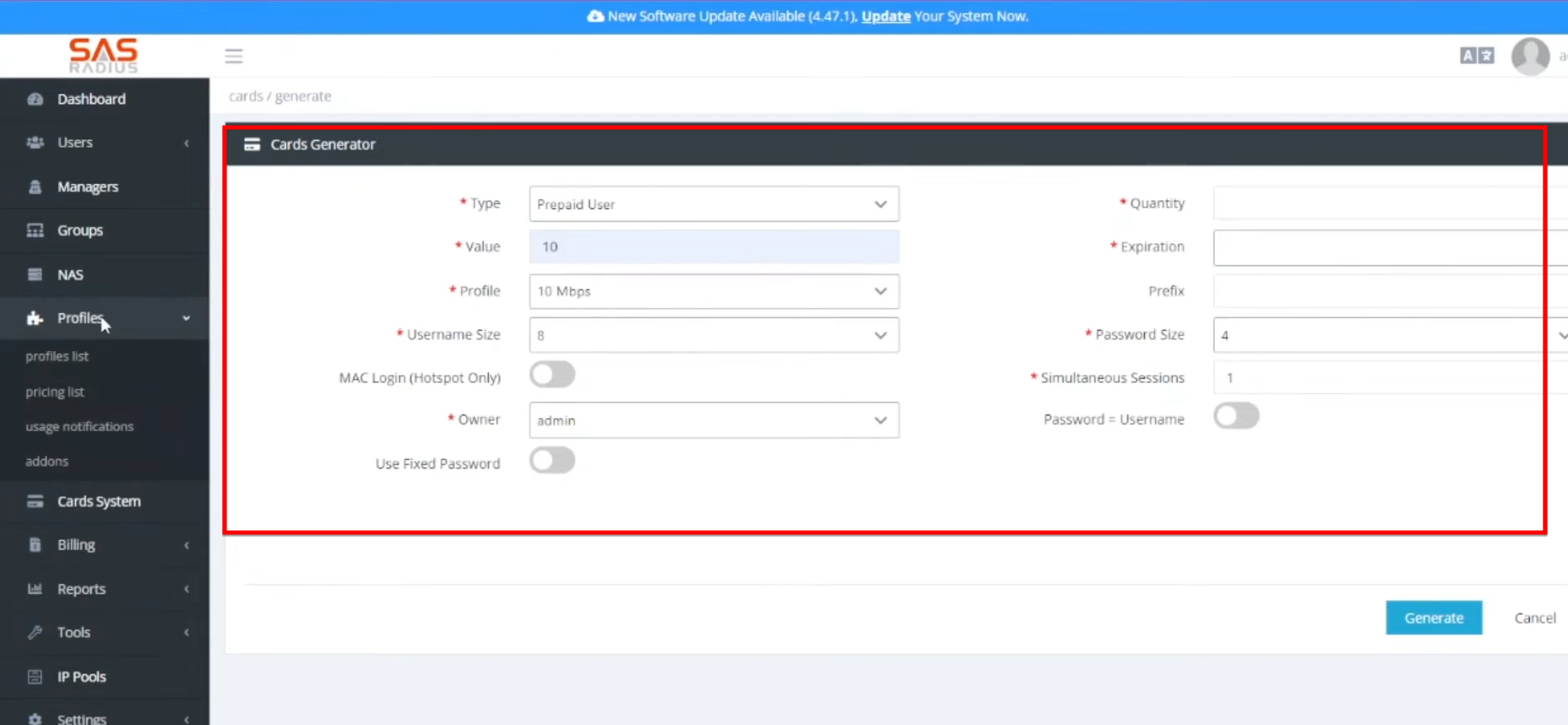
- These require selecting a Service Profile. You can define the username/password length and whether to allow simultaneous sessions.
Step 02:
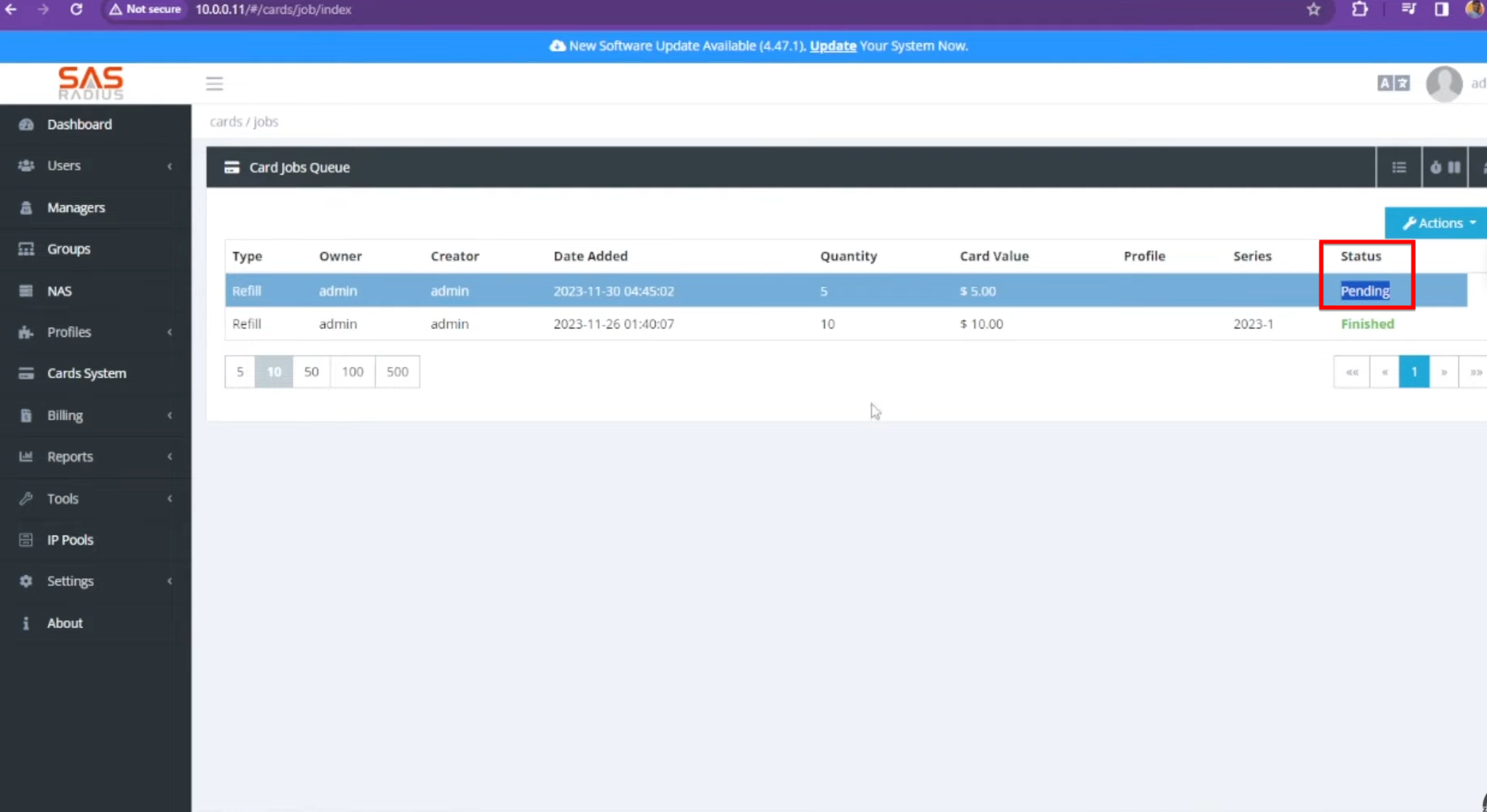
- After generation, cards appear in a “Pending” state. Refreshing the page after a few seconds will show them as “Finished” and ready for use.
Step 03:
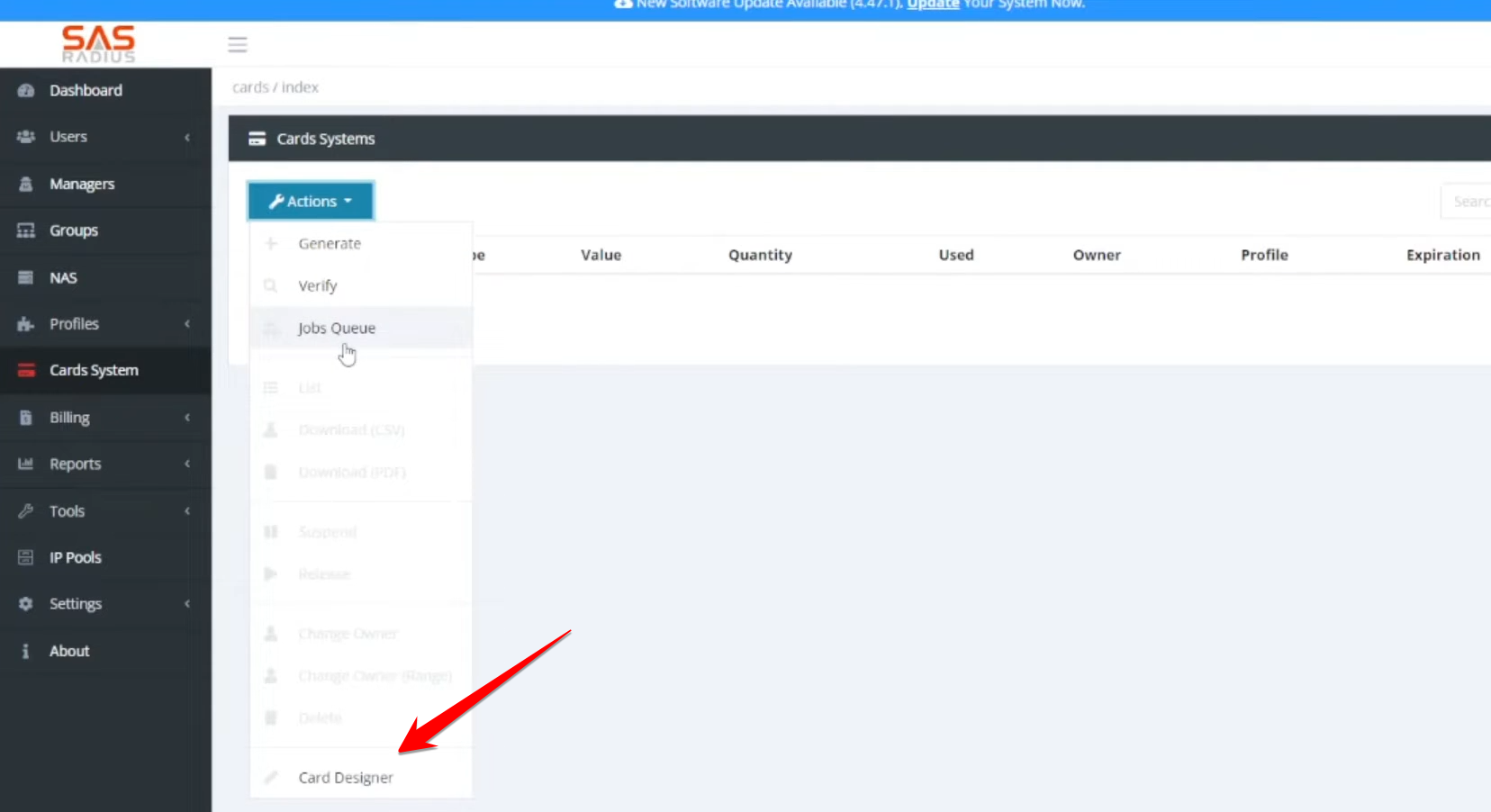
- Unlike other systems that require external software like Photoshop, SAS4 has a built-in Card Designer.
- You can drag and drop elements such as Username, Password, Pin, Serial Number, and Price onto your design.
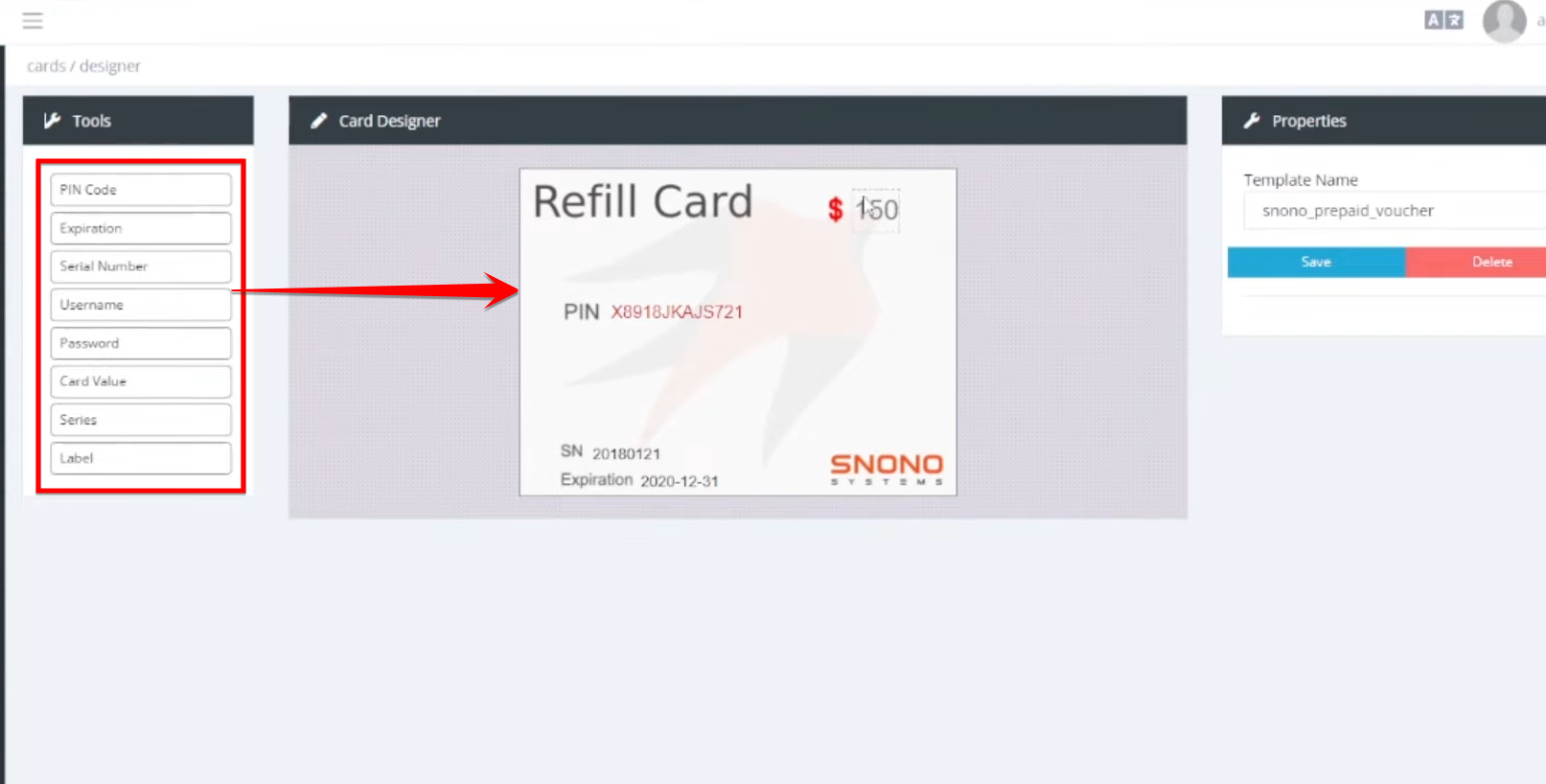
- It is recommended to create a custom background and then overlay these dynamic text fields.
Step 04:
- Once generated, cards can be downloaded as a PDF.
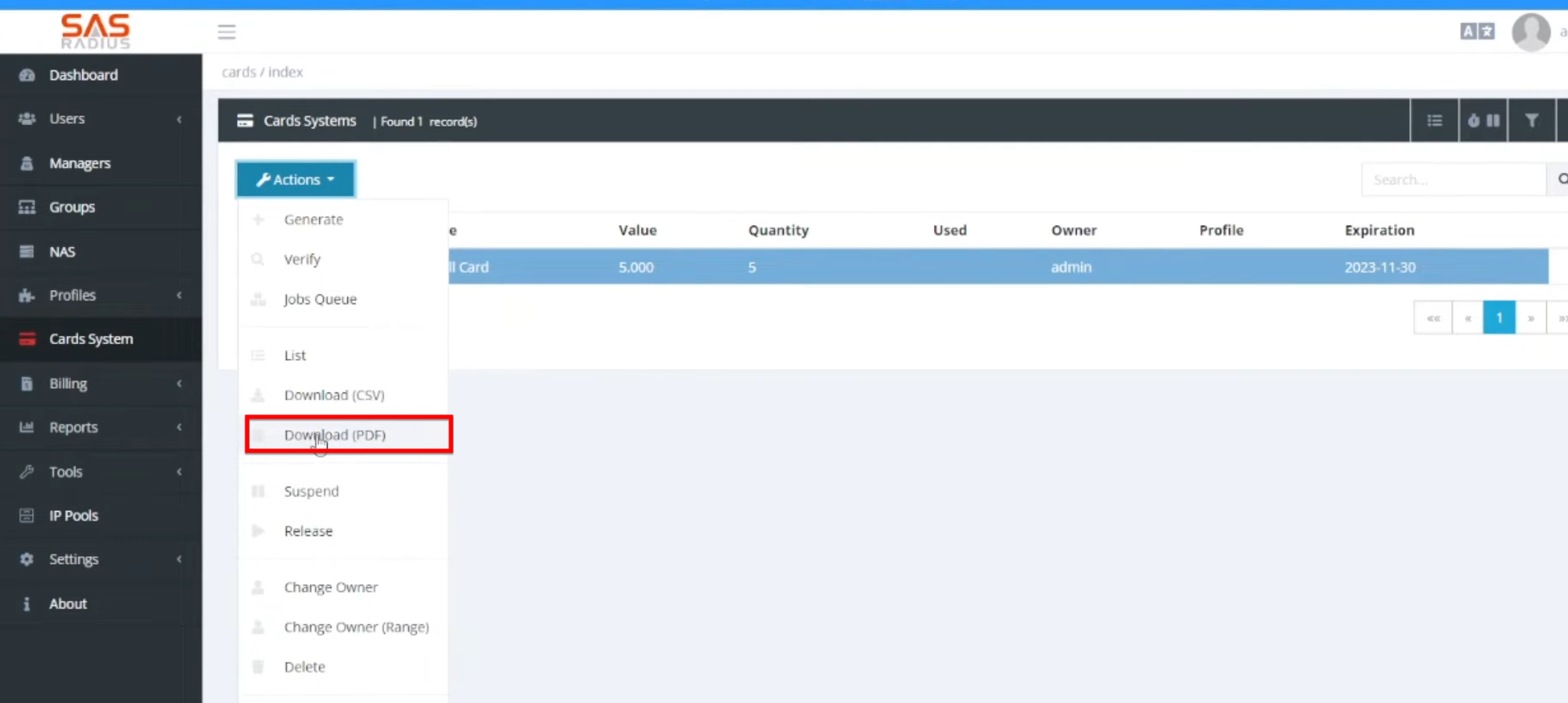
- You can select your custom design and the desired print size before generating the file.