
Step : 01
- The narrator opens the SSH configuration file to modify default behaviors. you can use this command as well
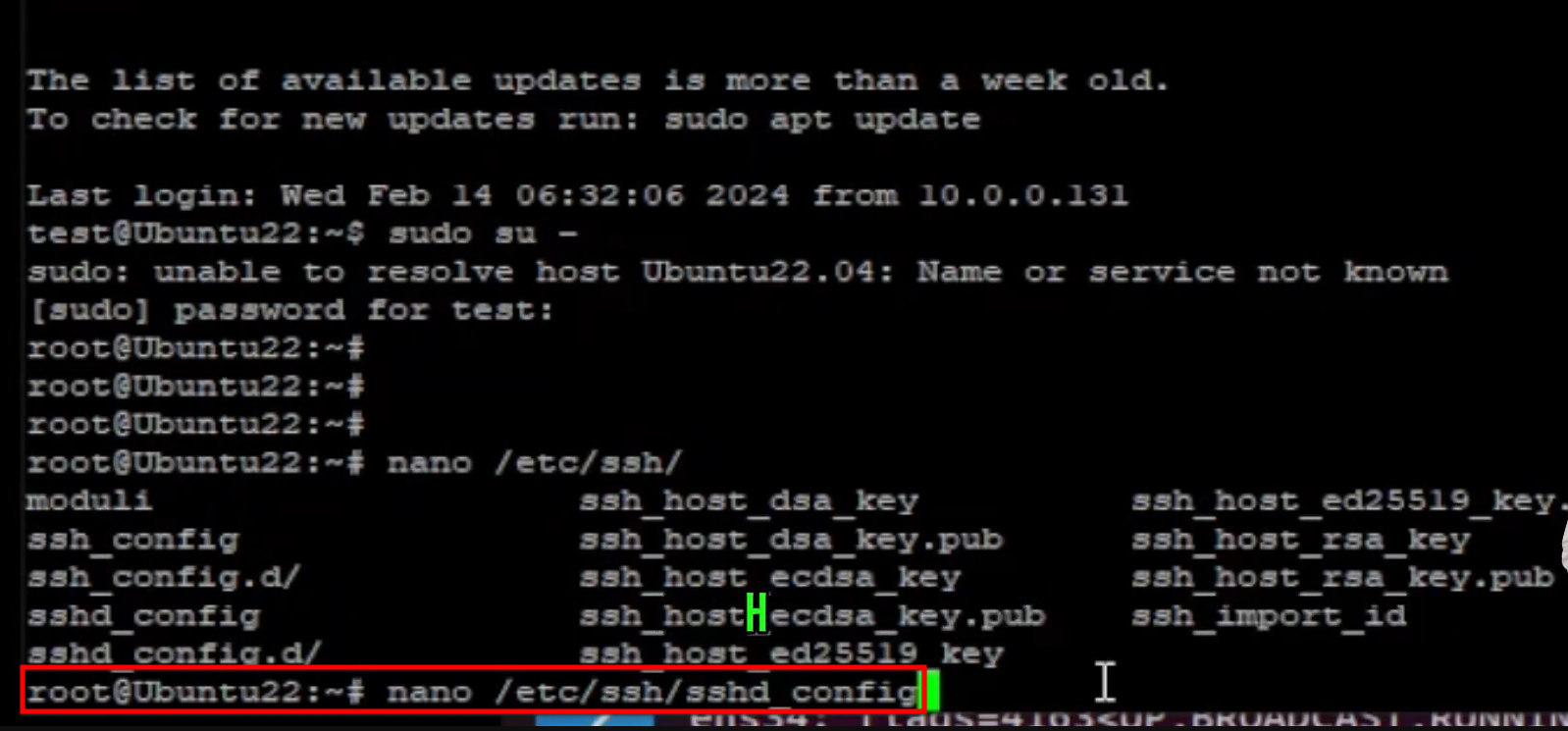
nano/etc/ssh/sshd/config
- For improved security, the default port 22 is changed to 9995. This helps protect the server from automated bots that typically target port 22.
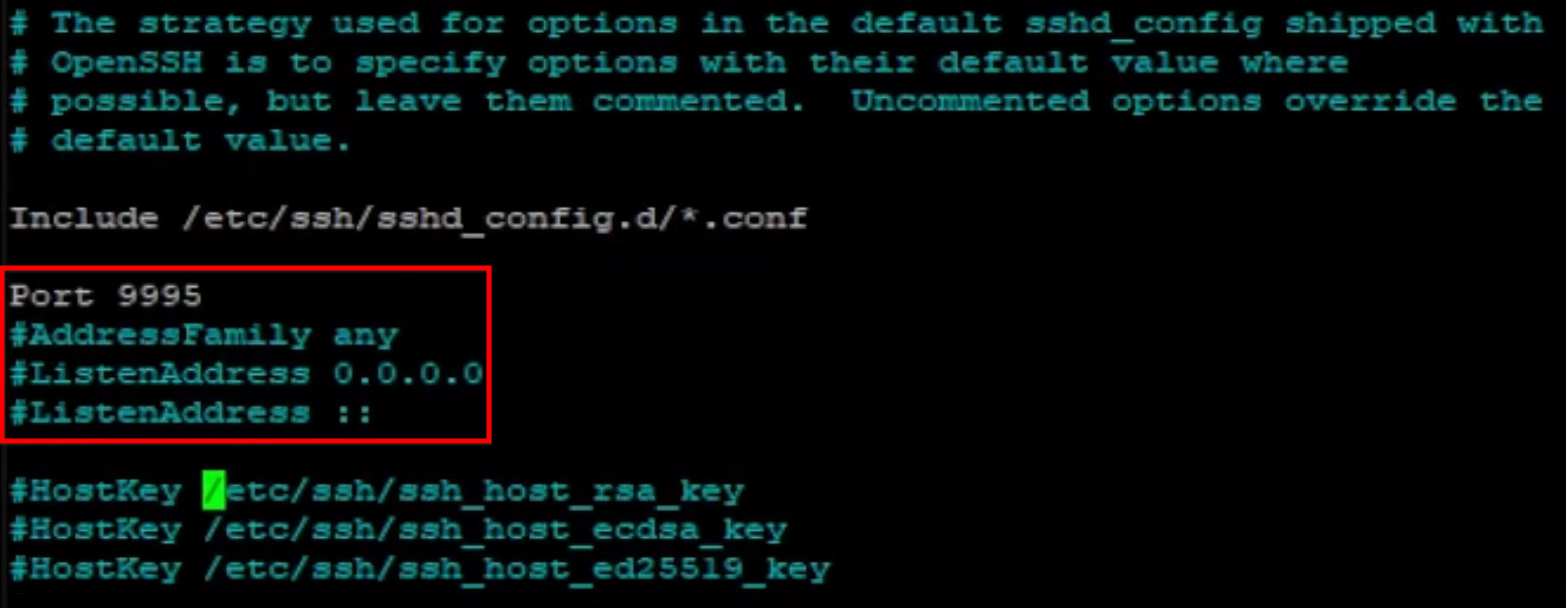
- The setting
PermitRootLoginis changed to “no”. This prevents users from logging in directly as the “root” user, requiring them to log in as a standard user first and then switch to root if necessary.
- There is a brief mention of disabling password authentication entirely in favor of private/public keys for maximum security, though this is treated as an advanced step.
Step : 02
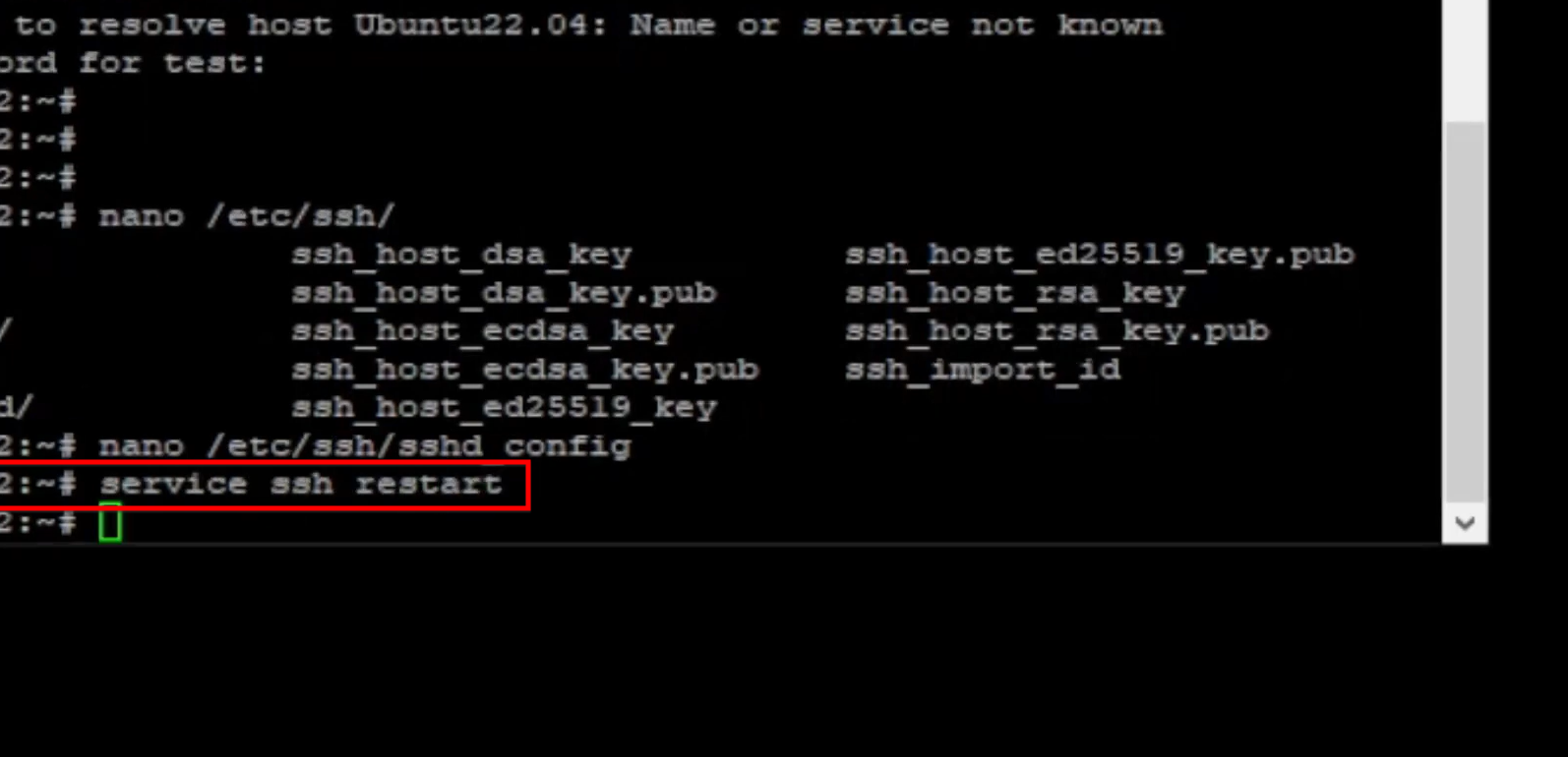
- After saving the configuration file, the SSH service must be restarted for the changes to take effect.
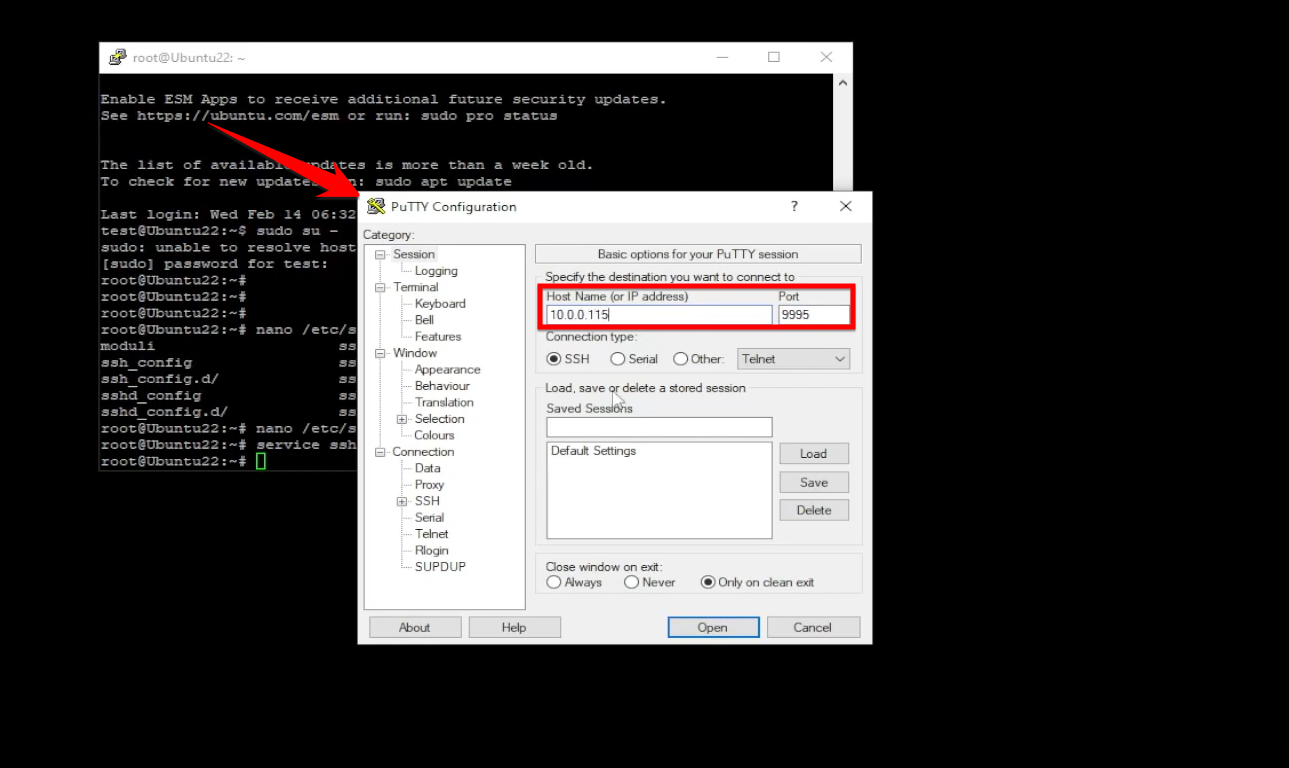
- The connection must now use the new port (9995).
- Direct login as root is successfully denied, confirming the new security rules are active.