
If your MikroTik RouterOS installation on VMware stops with a “FATAL ERROR,” the problem is likely related to the virtual hardware settings. The solution involves changing the virtual disk and operating system type.
Step 1: Change Hard Drive Controller
The installation may fail if the virtual machine uses a modern hard drive controller like SCSI.
-
Go to the Virtual Machine Settings for your MikroTik VM.
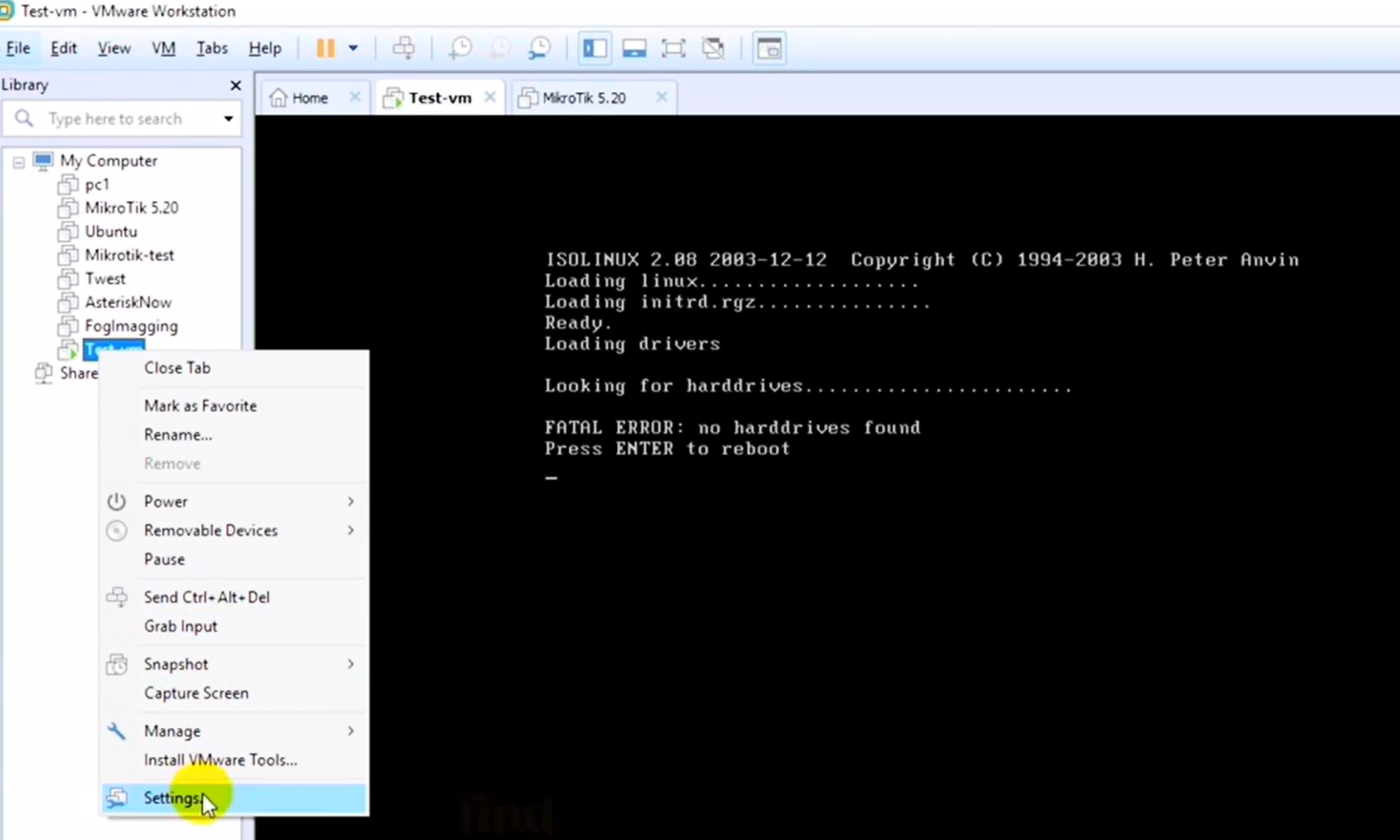
-
Find the Hard Drive and CD/DVD components in the hardware list.
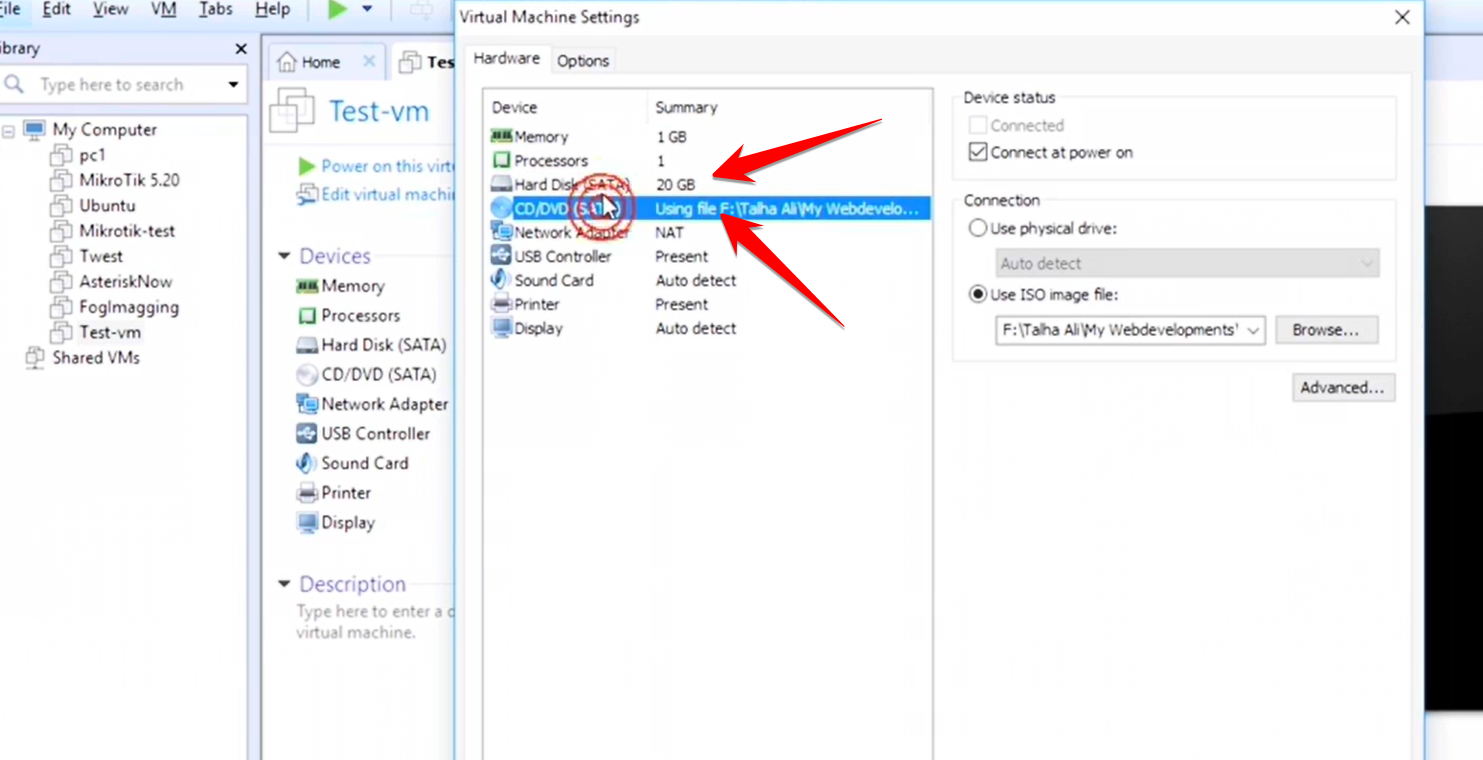
-
If the controller type is set to SCSI, you must change it to IDE.
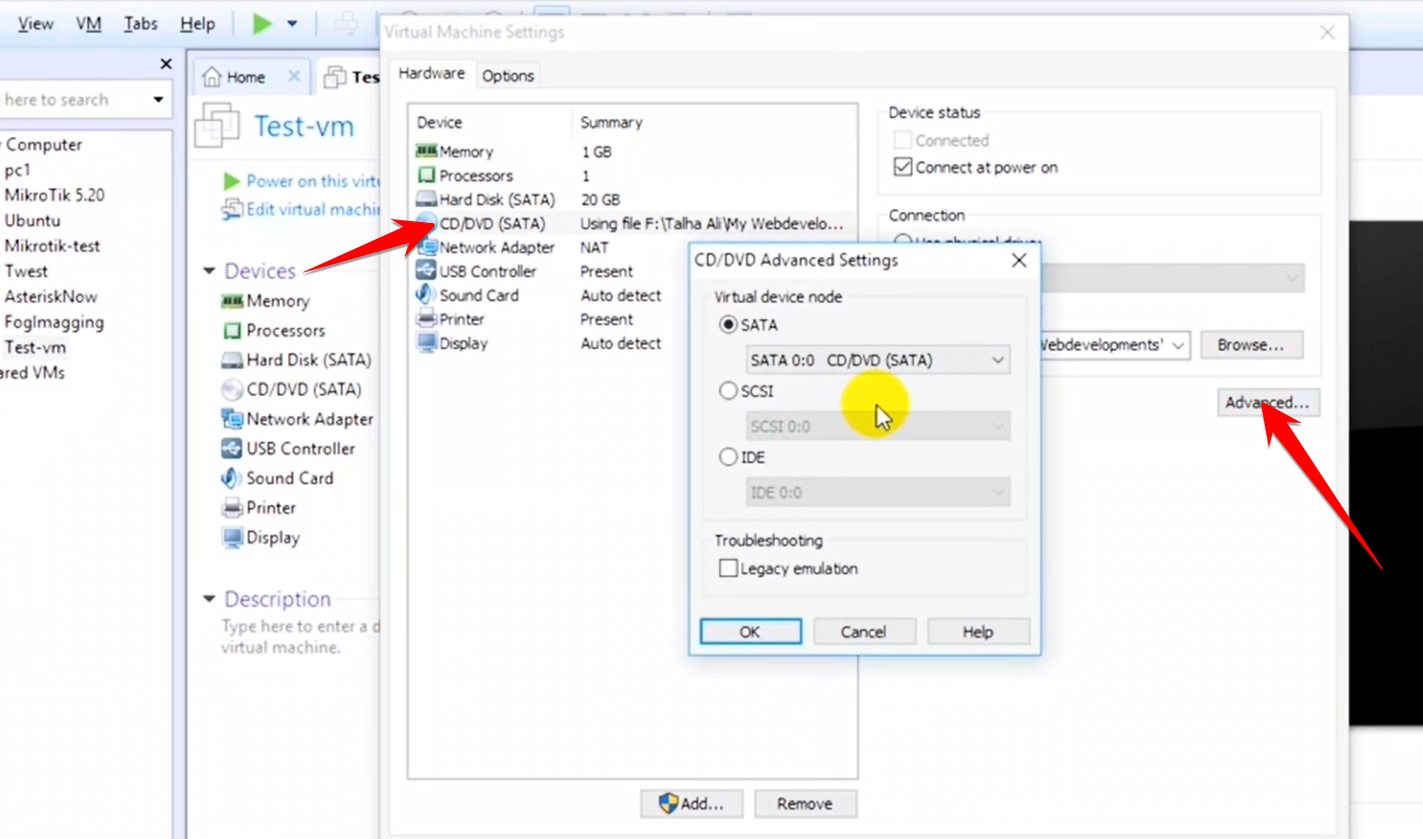
Step 2: Set Operating System Type
The VM’s configuration needs to be generic so RouterOS doesn’t encounter any specific compatibility checks.
-
In the same Virtual Machine Settings window, navigate to the Options tab.
-
Under Guest Operating System, ensure the settings are configured as:
-
Operating System:
Other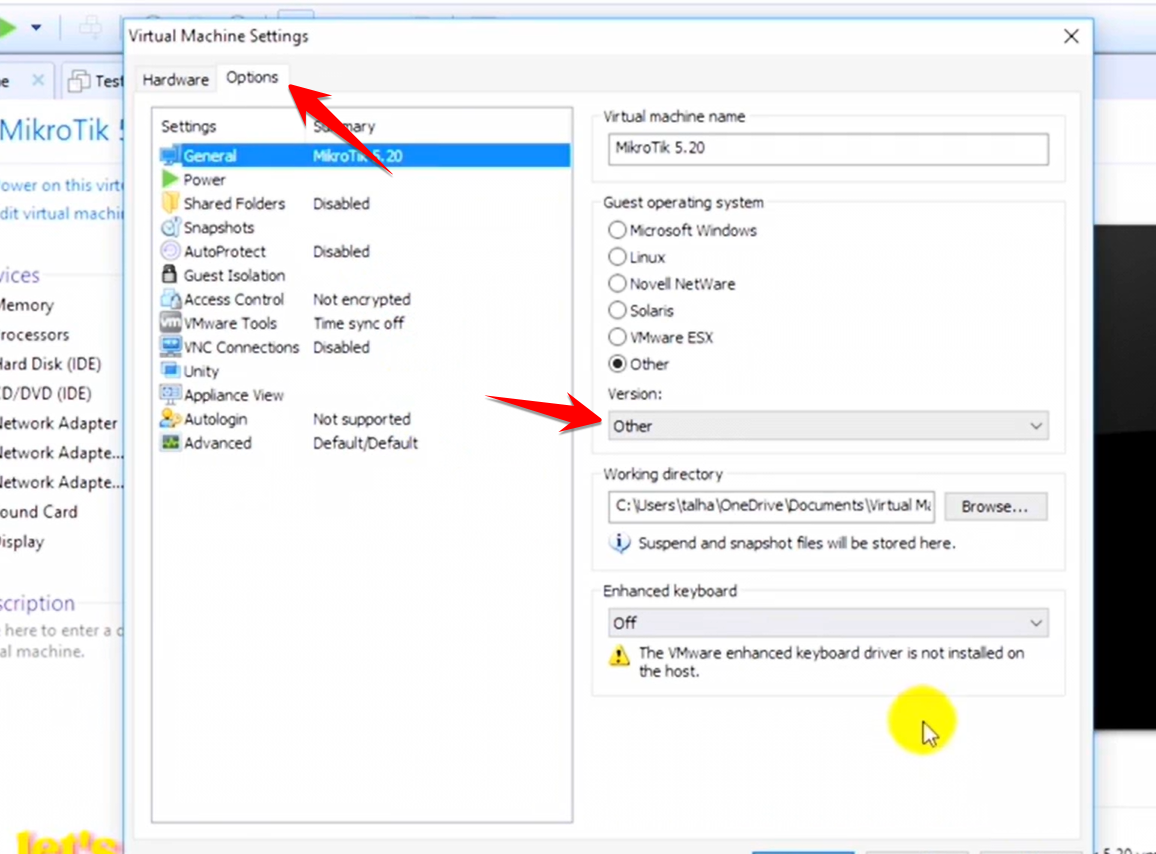
-
Version:
Other
-
After applying these changes, restart the installation. The MikroTik installation should now bypass the error and proceed successfully.