MikroTik’s RouterOS offers a wide array of powerful features for network control. This guide outlines the most essential functions and the corresponding menu locations in WinBox, which are crucial for basic network setup and management.
1. Interface Management
The Interface menu is where you manage all network connections, both physical and virtual.
-
Ethernet Interfaces: These are the physical ports on your router (e.g.,
ether1,ether2).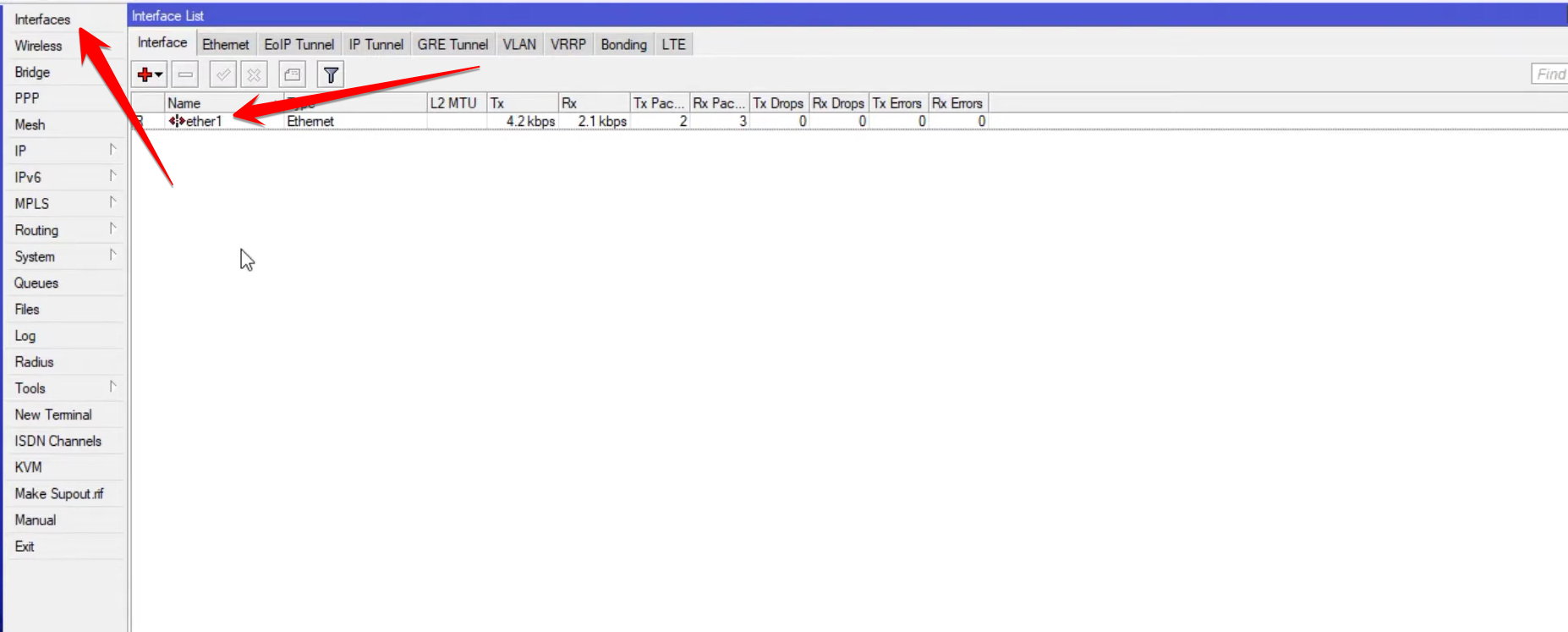
-
Virtual Interfaces: This section also houses tunneling and encapsulation protocols like VLANs, EOIP Tunnels, IPIP Tunnels, and GRE Tunnels, used for advanced network segmentation and VPN setups.
2. User Authentication and PPP
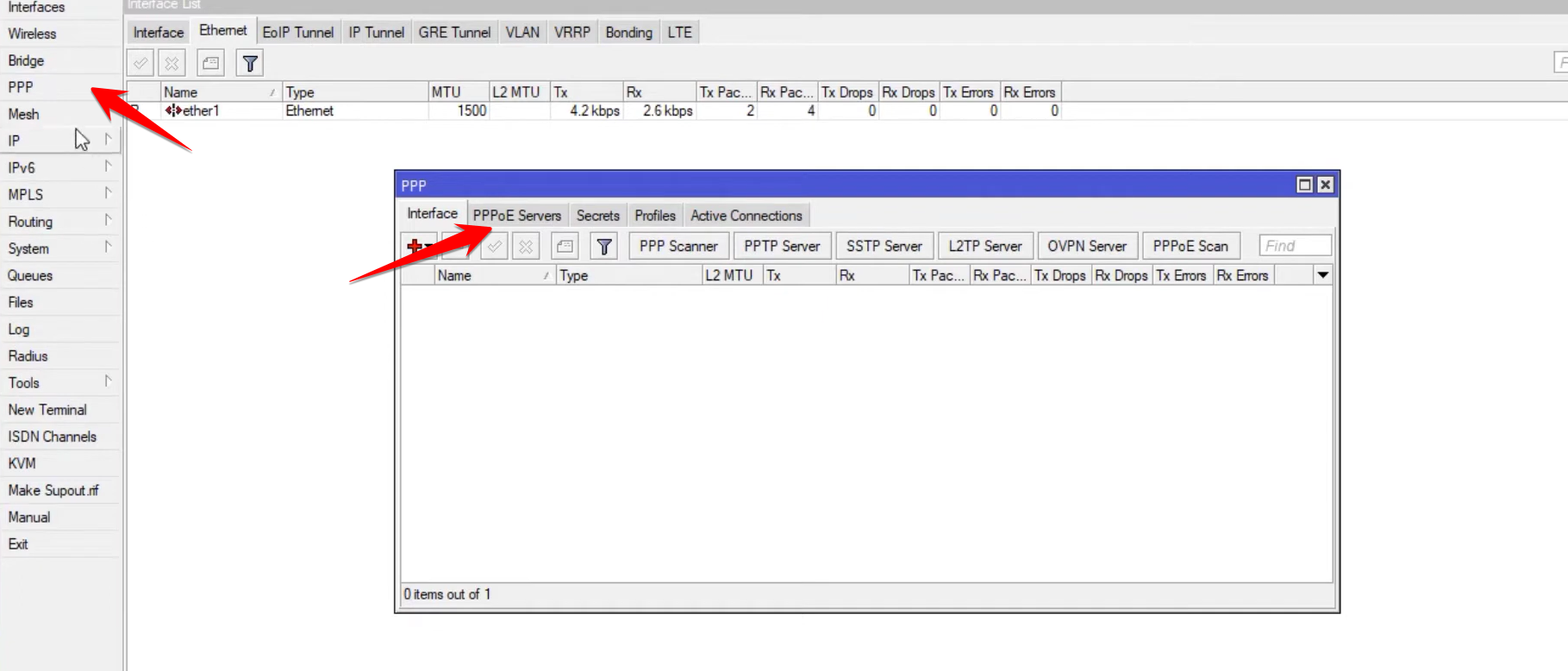
The PPP (Point-to-Point Protocol) menu is primarily used for managing dial-up connections and user-based authentication.
-
PPPoE Server: This feature allows you to set up a server that requires users to enter a username and password to connect to the internet, providing controlled access similar to an ISP model.
-
PPPoE Client: This is used when the MikroTik router itself needs to connect to an ISP that requires PPPoE authentication.
3. Essential IP Services
The IP menu contains the fundamental networking services required for the router to function and communicate.
-
Addresses
IP>AddressesConfigures the static IP address and subnet mask for each interface (LAN, WAN, or Tunnel).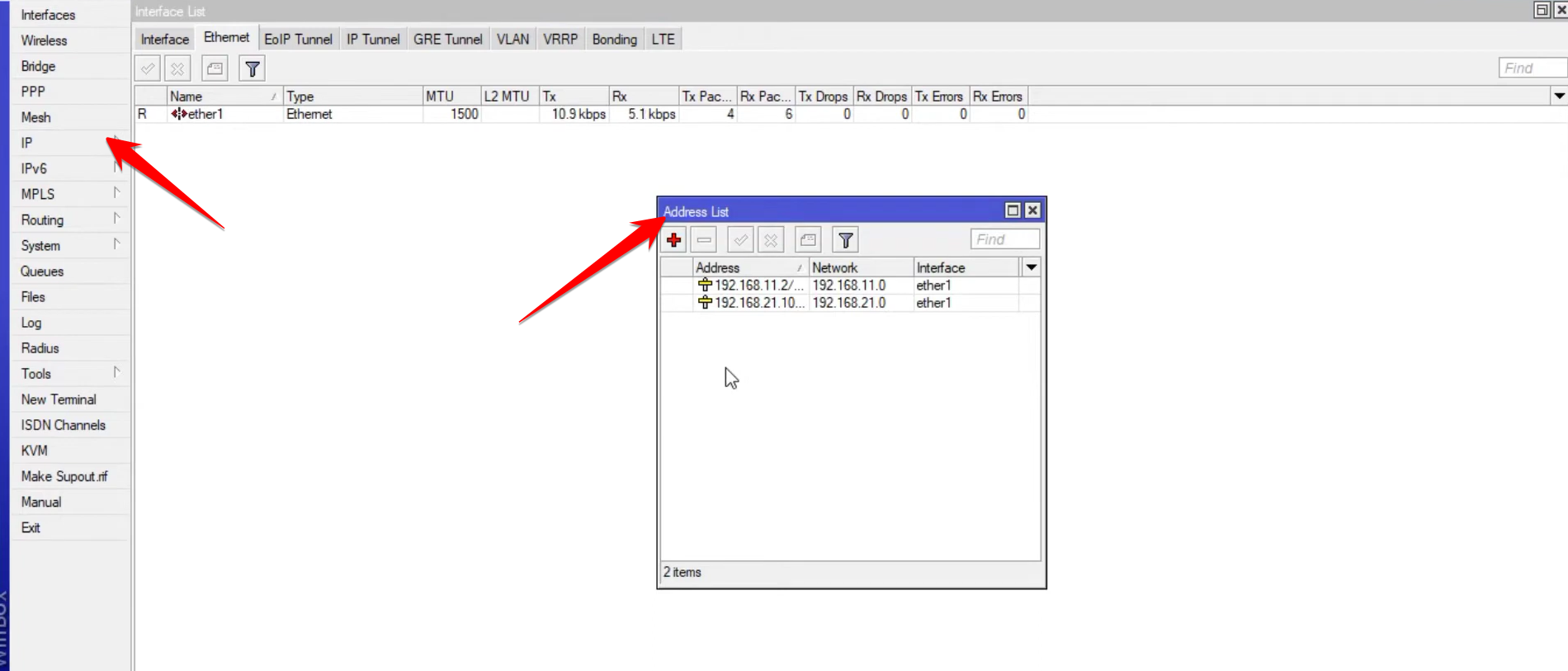
-
DHCP Client
IP>DHCP ClientAllows the router’s interface (typically the WAN port) to automatically obtain an IP address from an upstream network.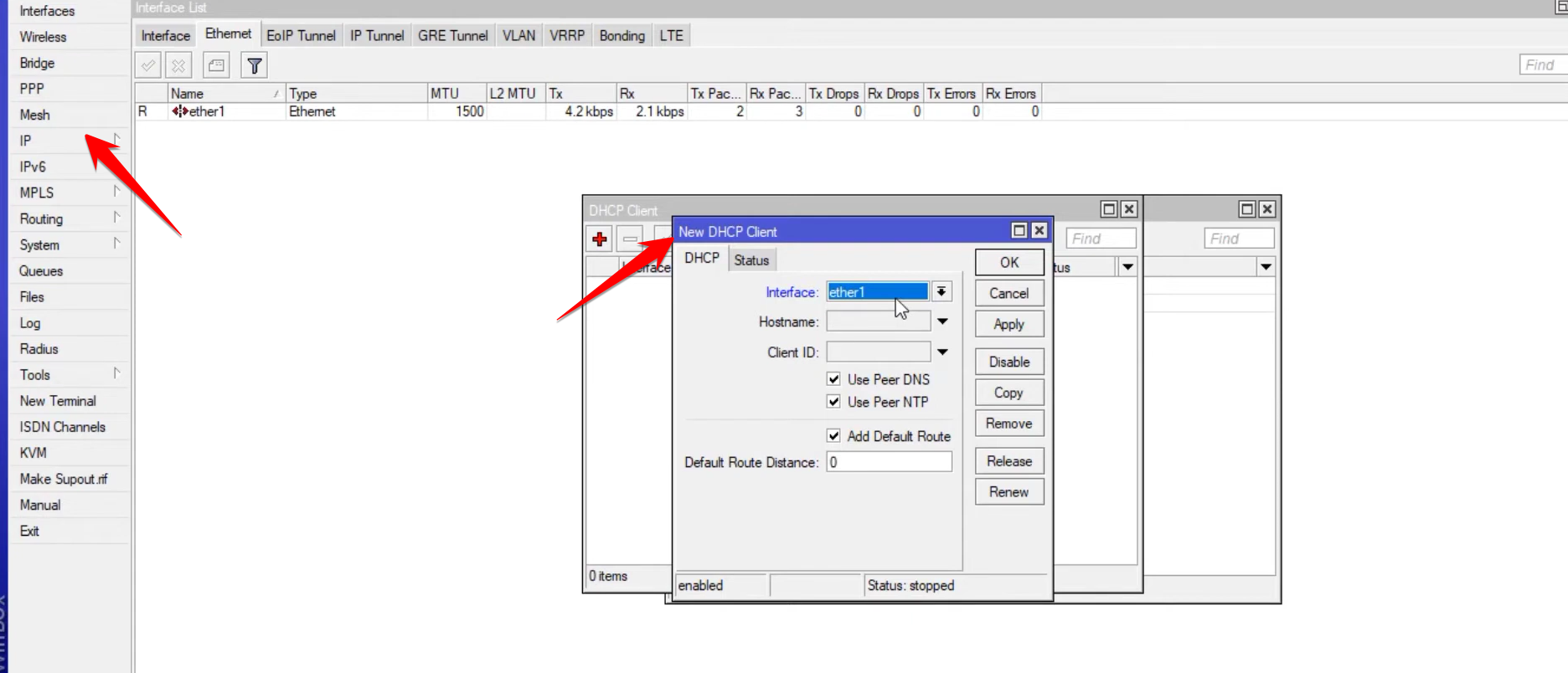
-
DHCP Server
IP>DHCP ServerCreates a server that automatically assigns IP addresses to client devices (mobile phones, PCs) connected to a specific interface (e.g., your LAN).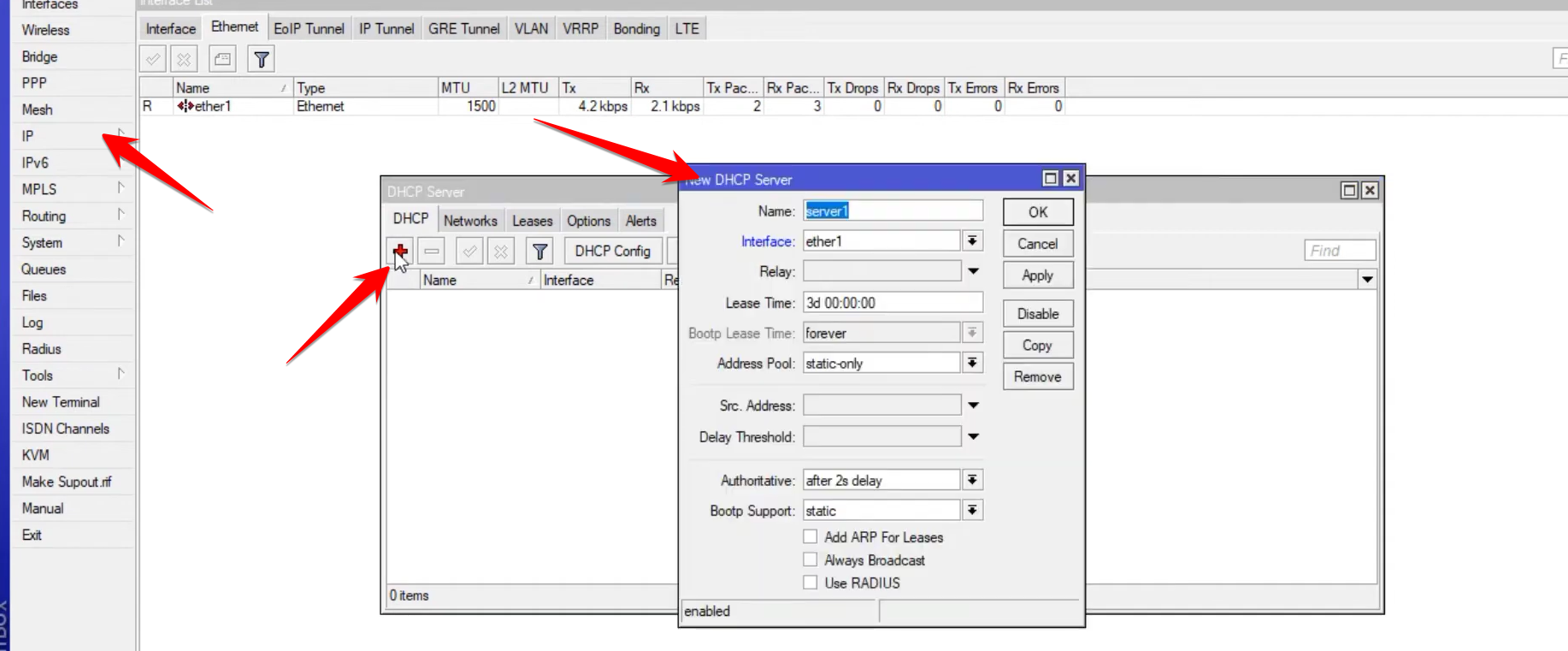
-
DNS
IP>DNSConfigures the Domain Name Servers (e.g., Google DNS8.8.8.8) for the router and for clients to resolve website names to IP addresses.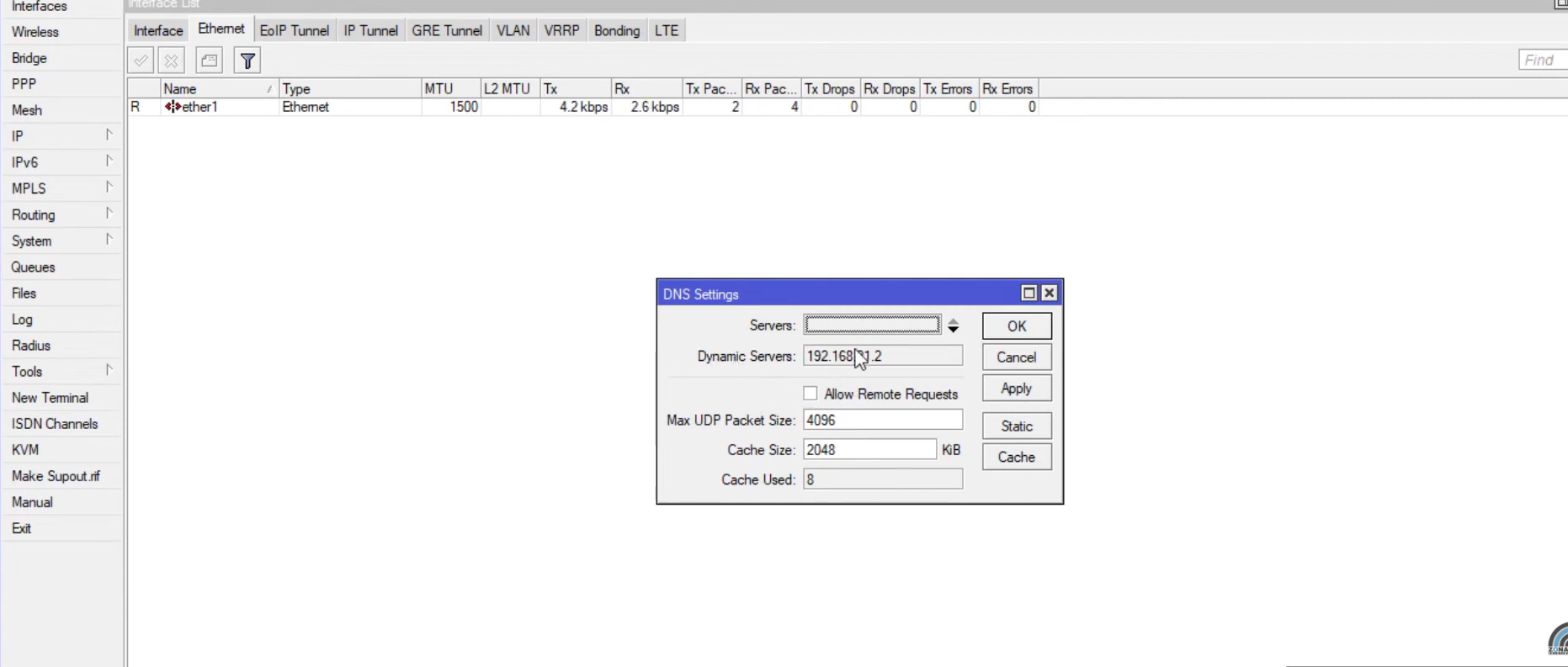
-
Routes
IP>RoutesDefines the paths traffic must take. It is essential for setting the default gateway (0.0.0.0/0) for the router to send external traffic to the internet.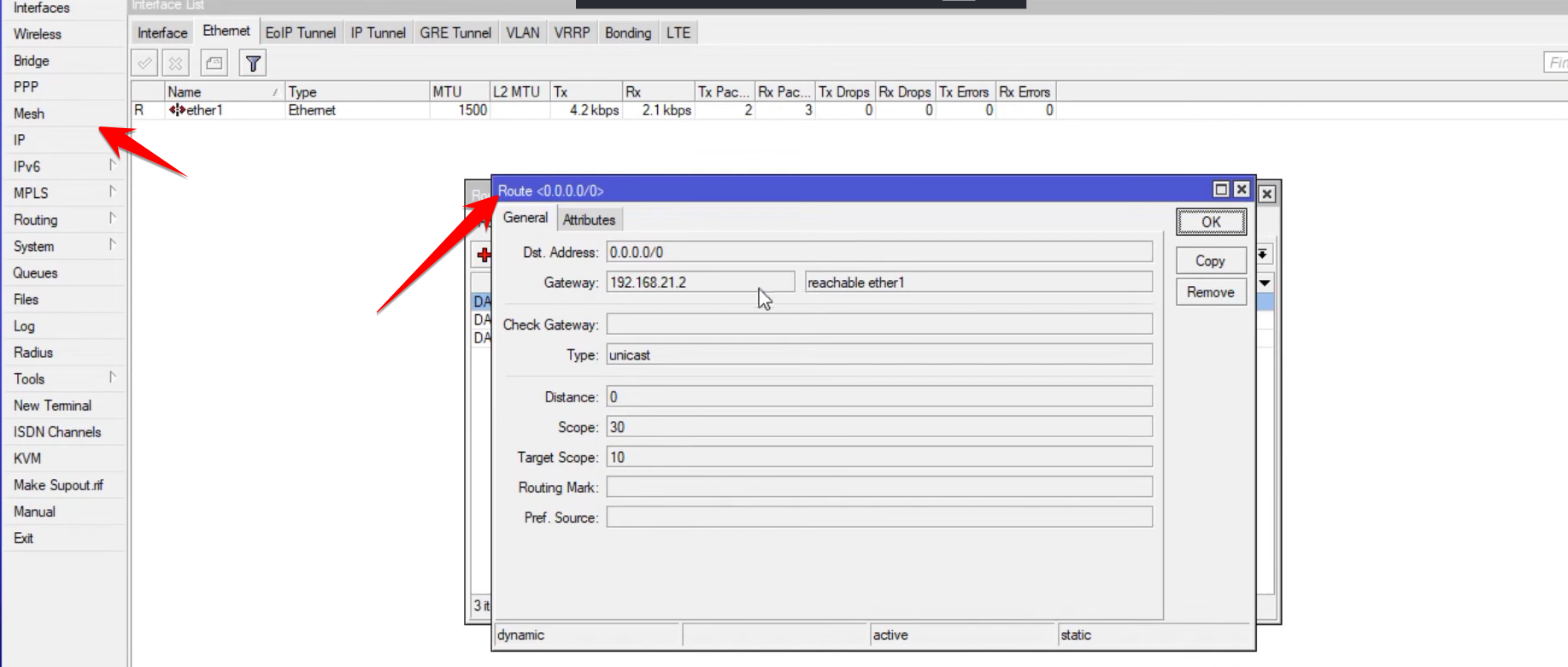
4. System and Management
The System menu provides tools for hardware and software management.
-
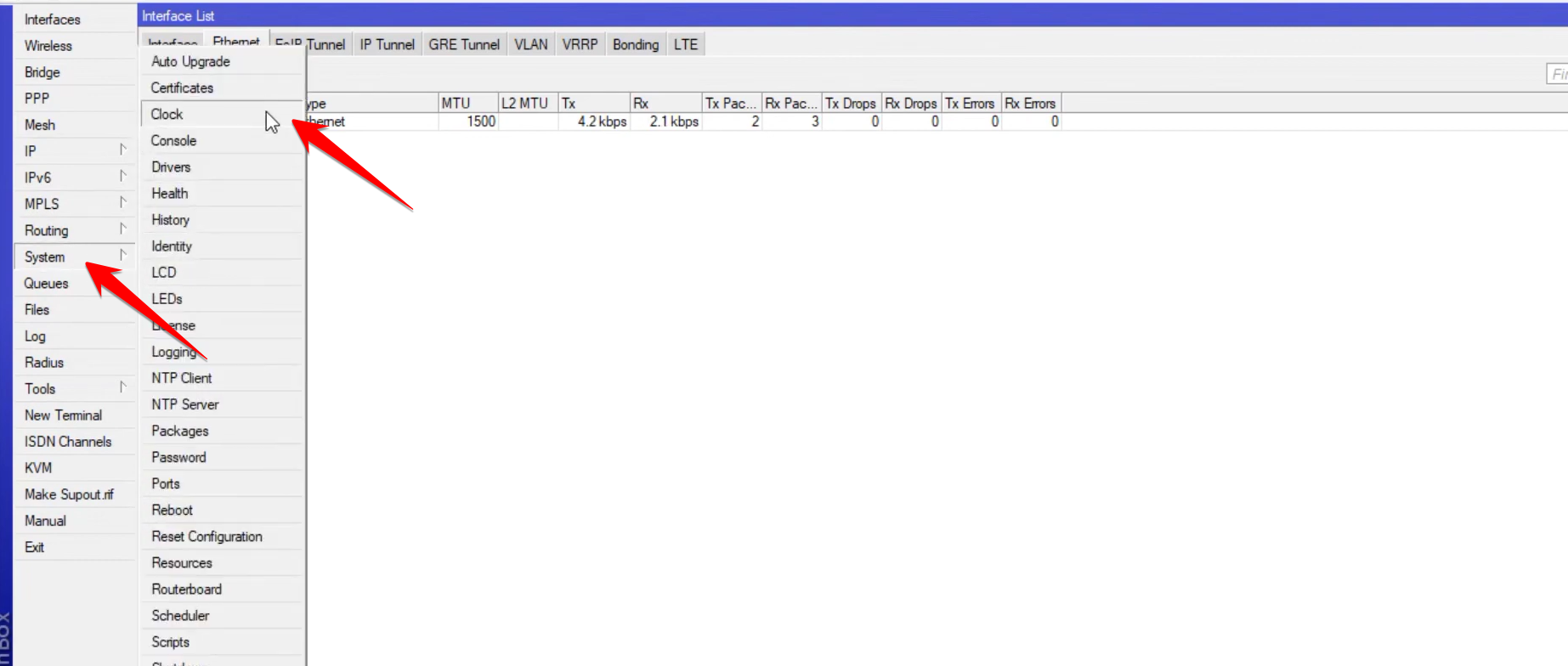
Clock: Essential for setting the correct time and date, which prevents issues with services like Hotspot or external authentication systems.
-
Users: Manages user accounts and passwords. You can set the password for the default
adminuser here.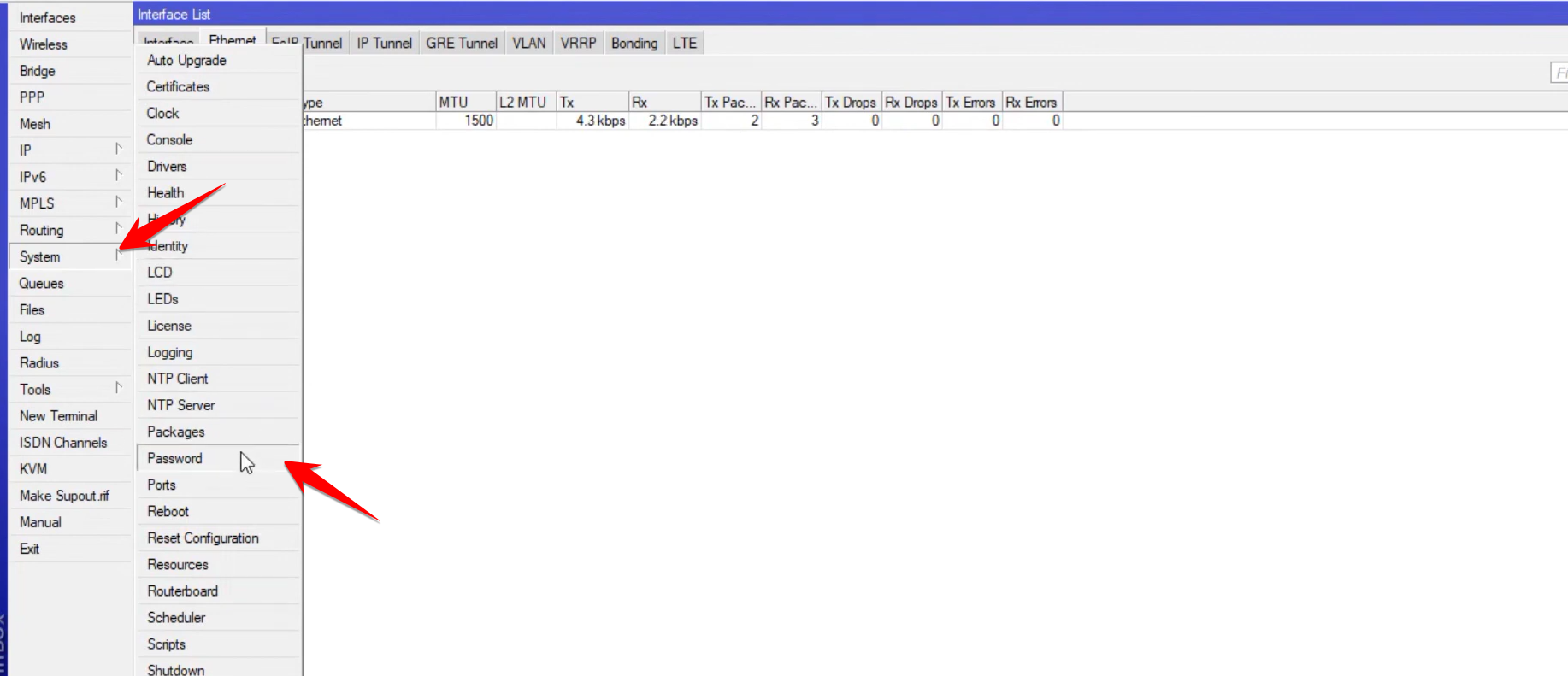
-
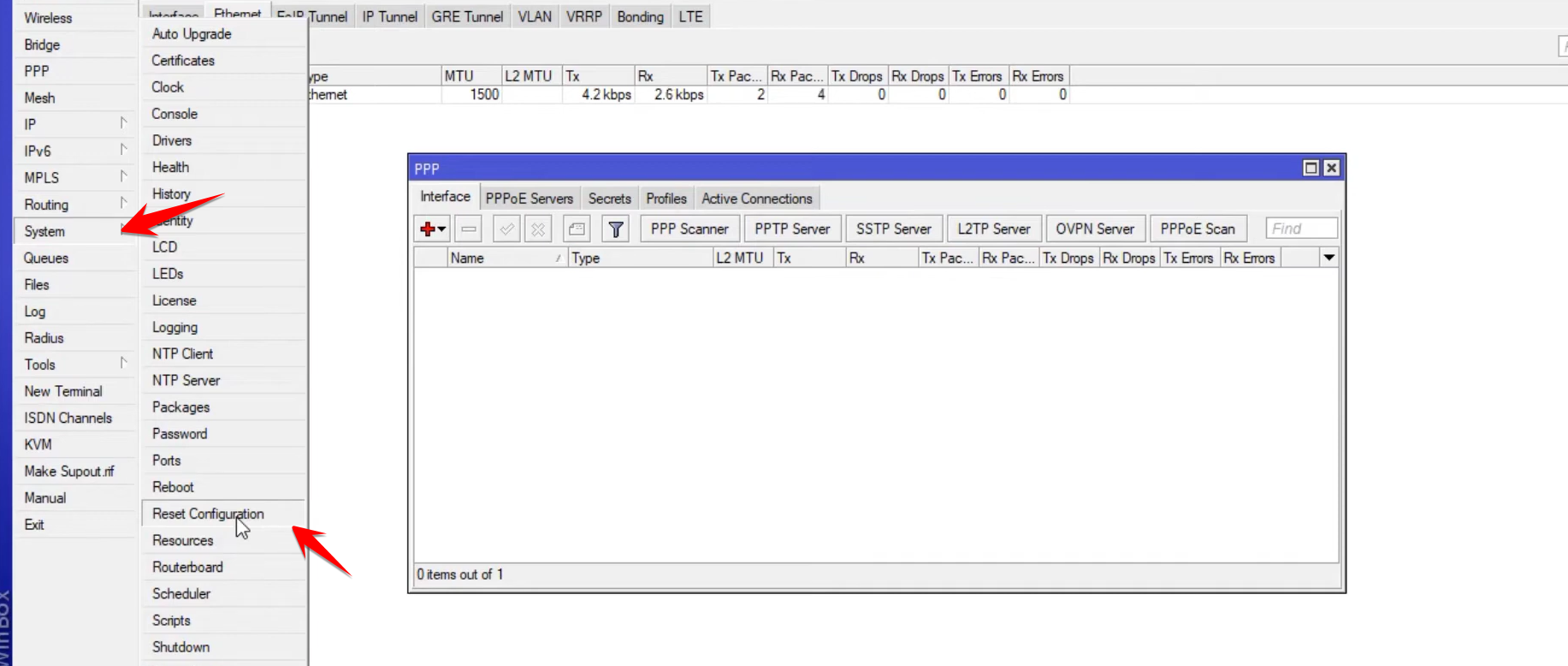
Reset Configuration: A dangerous but necessary feature that completely wipes the router’s settings back to factory defaults.
-
-