
In modern networks, using VLANs (Virtual Local Area Networks) is essential for security, organization, and performance. When using VLANs, you need a method to automatically assign IP addresses to devices in each segment. The most efficient way to do this is by configuring separate DHCP servers for each VLAN directly on your Layer 3 router.
This guide details how to set up two distinct DHCP pools on a Cisco router to serve two separate VLANs (e.g., VLAN 21 for HR and VLAN 22 for IT).
1. Switch Configuration (Prerequisite)
Before touching the router, the switch must be configured to support VLANs and trunking.
-
Create VLANs: Create your VLANs (e.g., VLAN 21 and VLAN 22) and give them descriptive names (
HR,IT) .
-
Assign Access Ports: Assign the client access ports to their respective VLANs (e.g.,
Fa0/1andFa0/2to VLAN 21;Fa0/3andFa0/4to VLAN 22) .
-
Configure Trunk Port: Configure the port connecting the switch to the router (e.g.,
Fa0/24) as a trunk port. This allows it to carry traffic for all VLANs.
2. Router Configuration: Subinterfaces and Encapsulation
The router must be configured to recognize the tagged traffic coming from the switch. This is achieved using subinterfaces, one for each VLAN, and enabling 802.1Q encapsulation (often called Router-on-a-Stick).
- Unshut the Physical Interface: First, ensure the physical port connected to the switch is active.
conf t
interface fastethernet 0/0
no shut
exit
2. Create and Configure Subinterface for VLAN 21 (HR):
interface fastethernet 0/0.21  # .21 corresponds to the VLAN ID
encapsulation dot1q 21
ip address 10.100.100.1 255.255.255.0 # This IP is the default gateway for VLAN 21
exit
3. Configuring Multiple DHCP Pools
Now you can create a separate DHCP pool for each VLAN, pointing the default gateway and network range to the respective subinterface IP addresses.
- Configure DHCP Pool for VLAN 21 (HR):
ip dhcp pool HR_DEPT
network 10.100.100.0 255.255.255.0
default-router 10.100.100.1
dns-server 10.100.100.1 # Using the router's IP as DNS for simplicity
exit
2. Configure DHCP Pool for VLAN 22 (IT):
ip dhcp pool IT_DEPT
network 172.16.10.0 255.255.255.0
default-router 172.16.10.1
dns-server 172.16.10.1
exit
3 .Exclude Addresses (Optional but Recommended): You should exclude the gateway addresses from being assigned to clients.
ip dhcp excluded-address 10.100.100.1 10.100.100.2 # Or a range of addresses
ip dhcp excluded-address 172.16.10.1 172.16.10.2
4. Verification
After the configuration is complete, devices connected to the switch ports should automatically receive an IP address based on the VLAN they are assigned to.
-
VLAN 21 (HR) Clients: Should receive an IP in the
10.100.100.xrange.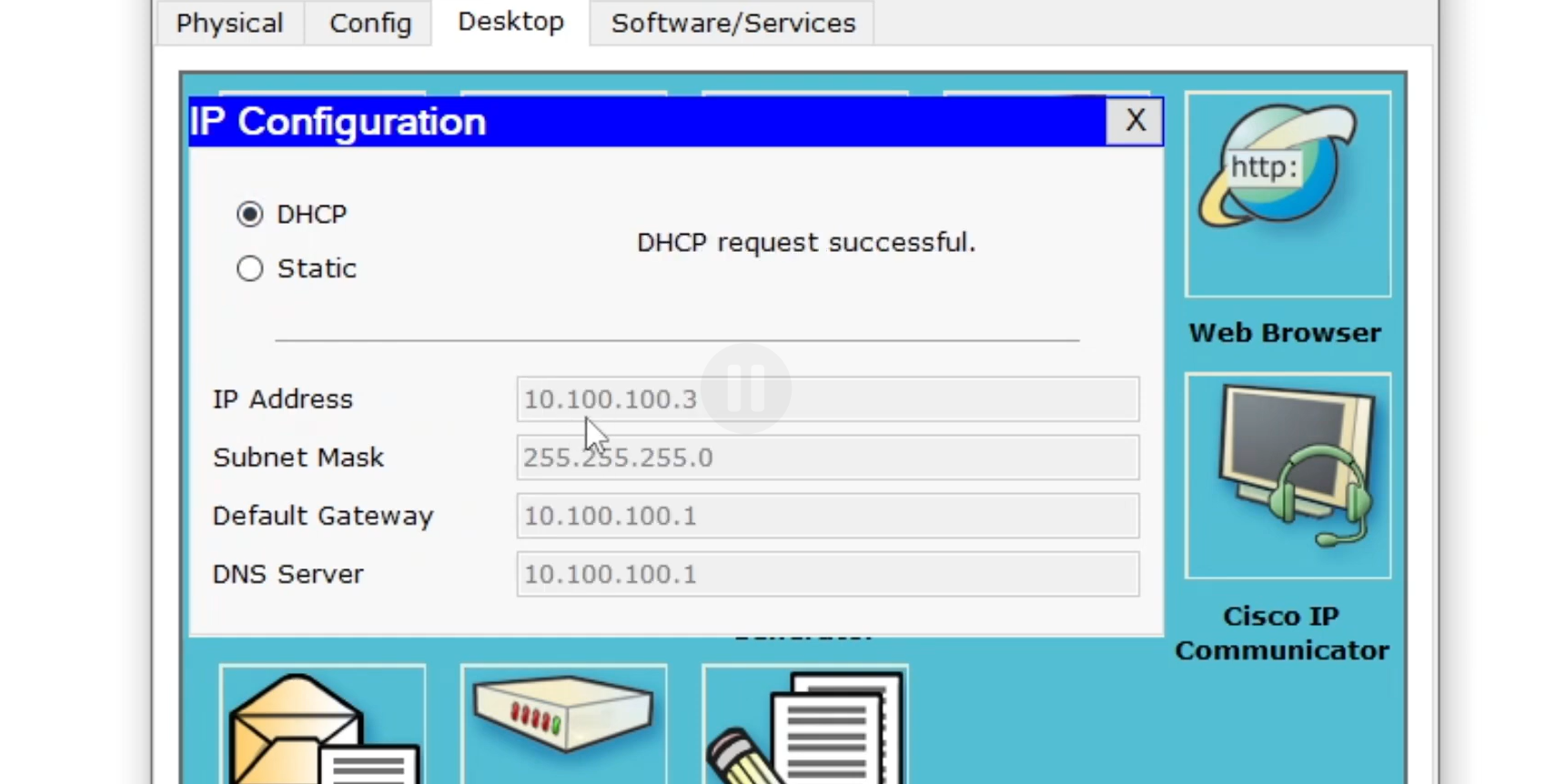
-
VLAN 22 (IT) Clients: Should receive an IP in the
172.16.10.xrange.
This method, using subinterfaces and 802.1Q encapsulation, ensures the router effectively serves as the Layer 3 boundary and DHCP server for all your VLANs.